
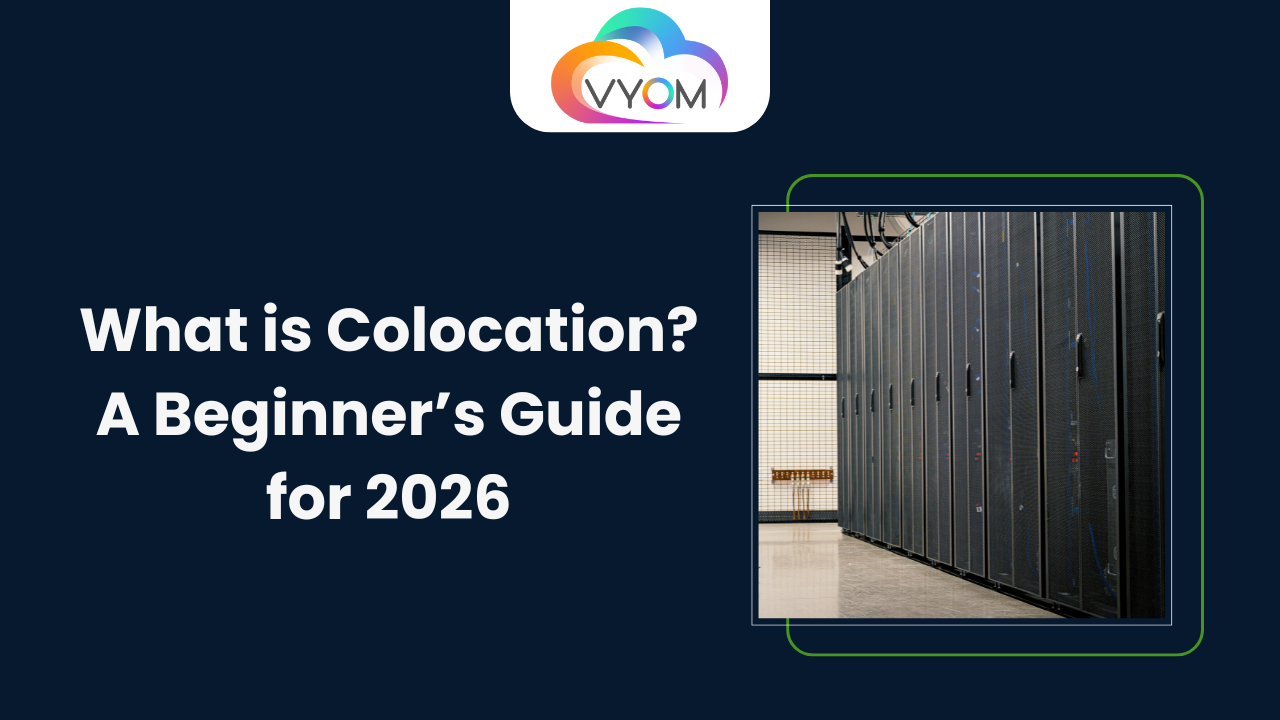
- What is Colocation? A Beginner’s Guide for 2026
- What Is Colocation?
- Why Colocation Exists in the First Place
- How Colocation Works Step by Step
- Colocation vs Keeping Servers In-House
- Colocation vs Public Cloud in 2026
- Types of Colocation Services
- Why Colocation Still Makes Sense in 2026
- Who Should Consider Colocation?
- Colocation with Vyom Cloud: What Makes It Practical
- Common Myths About Colocation
- Conclusion
- Related Reading
- FAQs: Colocation for Beginners
What is Colocation? A Beginner’s Guide for 2026
If you deal with web hosting, the term “colocation” is probably very familiar to you. Many IT companies choose this service as a means to establish their computing resources. Therefore, we put together this guide to answer the question “What is colocation? “. Colocation refers to the area in a data center that is rented for the hardware that you own. In other words, a non, affiliated data center will offer you the space of a server rack along with all the necessary resources such as electricity and a cooling unit.
Most beginners assume there are only two choices.
Either keep servers in your office or move everything to the public cloud.
Colocation exists quietly in between. And for many businesses, it’s the smartest option they never considered.
This guide explains what colocation actually is, how it works, why companies still choose it in 2026, and whether it makes sense for you.
What Is Colocation?
Colocation means you own the server, but you place it inside a professional data center instead of keeping it in your office.
That’s it. No hidden meaning.
You buy your own hardware.
The data center provides the space, power, cooling, internet connectivity, and physical security.
Your server lives there. You control it fully.
Think of it like renting a safe parking garage for a high-end car instead of leaving it on the street.
Why Colocation Exists in the First Place
Let’s be honest.
Running servers from an office sounds simple until you actually try it.
You need:
-
Reliable electricity
-
Backup power
-
Cooling systems
-
High-speed internet with redundancy
-
Physical security
-
Fire suppression
-
24/7 monitoring
Most offices are not built for this.
Colocation data centers are.
Instead of reinventing infrastructure, companies place their servers in environments designed specifically to keep them running non-stop.
How Colocation Works Step by Step
Here’s how a typical colocation setup looks.
Step 1: You Own the Hardware
You purchase your own server or servers. You decide:
-
CPU
-
RAM
-
Storage
-
GPU (if needed)
-
Operating system
This gives you full control and predictable performance.
Step 2: You Choose a Colocation Provider
The data center provides:
-
Rack space
-
Power
-
Cooling
-
Network connectivity
-
Physical security
Providers like Vyom Cloud offer different colocation options depending on how much space and power you need.
Step 3: Server Is Installed in the Data Center
Your server is physically placed in a rack or cabinet inside the facility.
From this point on, it behaves like any enterprise-grade infrastructure.
Step 4: You Manage It Remotely
You access your server via secure remote tools.
No need to be physically present every day.
If required, remote hands support can handle basic physical tasks.
Colocation vs Keeping Servers In-House
This is where beginners usually get clarity.
In-House Servers
-
Limited power backup
-
Cooling challenges
-
Internet outages
-
Security risks
-
Difficult to scale
Colocation
-
Enterprise-grade uptime
-
Redundant power and network
-
Climate-controlled environment
-
Physical access control
-
Easy scalability
For most growing businesses, colocation removes headaches without giving up control.
Colocation vs Public Cloud in 2026
Cloud adoption is high, but so are cloud bills.
Colocation offers a different philosophy.
Public Cloud
-
Fast to start
-
Pay-as-you-go
-
Costs can spike unpredictably
-
Less control over hardware
-
Vendor lock-in concerns
Colocation
-
Fixed monthly cost
-
Full hardware ownership
-
Predictable performance
-
Easier compliance
-
Long-term cost efficiency
In 2026, many companies use both.
Cloud for burst workloads. Colocation for steady, critical systems.
Types of Colocation Services
Not all colocation is the same. Beginners should know the basics.
Single Server Colocation
Ideal for:
-
Small businesses
-
First-time users
-
Testing workloads
You rent space for just one server.
Cabinet Colocation
You get a locked cabinet for multiple servers.
Good for:
-
Growing teams
-
Controlled access
-
Moderate scale
Full Rack Colocation
You rent an entire rack.
Best for:
-
Enterprises
-
High-density setups
-
Custom networking
Private Cage Colocation
A fully enclosed private area inside the data center.
Used by:
-
Financial institutions
-
Large enterprises
-
Compliance-heavy industries
Why Colocation Still Makes Sense in 2026
With all the cloud hype, people assume colocation is outdated. It’s not.
Here’s why it’s growing again.
Cost Control
Hardware is a one-time investment.
Monthly costs stay predictable.
Performance Consistency
No noisy neighbors.
No shared resources.
Compliance and Data Residency
Indian businesses care about where data lives.
Colocation ensures local compliance.
Hybrid Flexibility
Colocation works beautifully with cloud and edge computing.
Who Should Consider Colocation?
Colocation is ideal if you:
-
Need predictable performance
-
Handle sensitive data
-
Want lower long-term costs
-
Require high uptime
-
Don’t want cloud surprises on billing day
Industries commonly using colocation include:
-
Fintech
-
Healthcare
-
SaaS
-
Media platforms
-
E-commerce
-
AI and analytics companies
Colocation with Vyom Cloud: What Makes It Practical
Vyom Cloud focuses on business-first colocation, not generic rack rental.
Their colocation environments offer:
-
Indian data centers with low latency
-
Flexible rack and cabinet options
-
Reliable power and cooling
-
Scalable bandwidth
-
On-ground support teams
For beginners, this means fewer surprises and smoother onboarding.
Common Myths About Colocation
“Colocation is old-school”
Not true. Many modern architectures rely on colocated infrastructure.
“It’s only for large enterprises”
Startups and mid-sized companies use single-server colocation every day.
“It’s hard to manage”
Remote management tools make it straightforward.
“Cloud is always cheaper”
Not over the long term for stable workloads.
Conclusion
Colocation isn’t about choosing old over new.
It’s about choosing control, predictability, and stability in a world where infrastructure costs keep rising.
For beginners in 2026, understanding colocation gives you more options and better decisions. And in infrastructure, options matter.
Related Reading
Read More : How to Build Your First N8N Automation Step by Step
Let’s Get Social:
Facebook: https://www.facebook.com/vyomcloudnetwork/
LinkedIn: https://www.linkedin.com/company/vyomcloud/
Instagram: https://www.instagram.com/vyomcloud/
FAQs: Colocation for Beginners
1. Do I need technical expertise to use colocation?
Basic server management knowledge helps, but managed support is often available.
2. Is my data secure in a colocation data center?
Yes. Data centers have physical and network security far beyond typical offices.
3. Can I scale later?
Absolutely. You can move from a single server to racks or cages as needed.
4. What happens if hardware fails?
You own the hardware. Many providers offer remote hands or replacement support.
5. Is colocation better than cloud?
Neither is “better.” They solve different problems. Many businesses use both.
