
VyomCloud Storage Servers

Storage Servers Built to Hold Your
Business's Most Important Data

Full-root dedicated storage, from 8 TB to 100 TB+, with RAID protection, NVMe caching, and pricing that doesn't jump at renewal.

  • Capacity that scales with you
  • Full control with Root Access
  • Built-in data protection
Choose Plans
99.9%–99.99% Uptime SLA (by plan) · ISO 27001 Certified Infrastructure · 24/7 Technical Support · 7-Day Money-Back Guarantee
Not a developer?

See Managed VPS - we run the server for you

View Managed
99.9%–99.99%
Uptime SLA (by plan)
ISO 27001
Certified Infrastructure
24/7
Technical Support
7-Day
Money-Back Guarantee

Sub-5ms Latency Across India

Test our Bharat Datacenter high-throughput network

Move massive backup sets and media libraries without bottlenecking. Run live ping and traceroute checks from our Noida & Mumbai data centers to experience dedicated 1 Gbps to 25 Gbps unmetered network speeds.

Open the Looking Glass

Choose your best Storage Server plan

  • 24/7 Expert Support
  • Instant Setup
  • Great fit for dev teams and admins
VyomCloud VPS plans with vCPU cores, RAM, storage and monthly price in Indian rupees
Plan vCPU Cores RAM (GB) Traffic (TB) Bandwidth (Mbps) Storage (GB) Monthly Price (₹) Get Now
Storage Starter (8 TB) 8 Cores (Dedicated) 32 Unmetered 1000 8 TB HDD (RAID 1/5) ₹19,999/mo Renews at the same price Get Now
Storage Professional (24 TB) 16 Cores (Dual CPU) 64 Unmetered 10000 24 TB HDD + 1 TB NVMe ₹39,999/mo Renews at the same price Get Now
Storage Enterprise (64 TB) 32 Cores (Dual EPYC) 128 Unmetered 25000 64 TB HDD + 2 TB NVMe ₹79,999/mo Renews at the same price Get Now
Custom Storage (100 TB+) 64+ Cores Cluster 256 Dedicated 25000 100 TB - 1 PB+ Array ₹149,999/mo Renews at the same price Get Now

All plans include full root access, 1 IPv4 + IPv6, DDoS protection and a 99.5% uptime SLA. Need something larger? Talk to sales.

100% Risk-Free with a 7-Day Money-Back Guarantee

We are confident in the performance and durability of our storage servers. If our infrastructure doesn't meet your workload expectations, we offer a full refund within 7 days.

7-day money back guarantee badge

VyomCloud vs OVHcloud vs ServerBasket

VyomCloud compared with OVHcloud storage dedicated servers and ServerBasket hardware purchase
Fully Managed & Hosted

Factor

VyomCloud

OVHcloud (Storage dedicated servers)

ServerBasket (hardware purchase)

Buying model Monthly rental, fully managed hosting Monthly rental (bare metal) + one-time installation fee One-time hardware purchase — you own and host it
Entry price ₹19,999/month (8 TB HDD, Starter plan) From ~₹26,900/month ex. GST + a matching one-time setup fee Varies widely by model, often ₹1.5L+ for enterprise arrays
Storage type HDD, hybrid HDD+NVMe cache, and custom SSD/NVMe on higher tiers HDD SAS or NVMe SSD, hard/soft RAID HDD/SSD/NVMe depending on model (Dell, HPE, Seagate, etc.)
Root control Full root access on every plan Full root access, self-managed Full hardware ownership — you manage everything
Data center ISO 27001-certified Tier III/IV facilities in India Global data center footprint (Europe, North America, APAC, including Mumbai) You choose where it's hosted — on-prem or your own colocation deal
Network 1–25 Gbps depending on plan, unmetered on Starter Private network (vRack) included, public bandwidth varies by range Not applicable — no hosting included
Uptime SLA 99.9%–99.99% depending on plan 99.9%–99.99% depending on server range None — you're responsible for your own uptime
Support 24/7 technical support, dedicated account manager on Enterprise Documentation, community, and paid professional services Warranty and setup assistance, not ongoing hosting support
Choose Plan Choose Plan Learn More Learn More

Note: Competitor pricing and specifications change over time; verify against active vendor terms.

Included on every plan · ISO 27001 Audited

Features of VyomCloud Storage Servers

High-Density HDD & Hybrid Storage

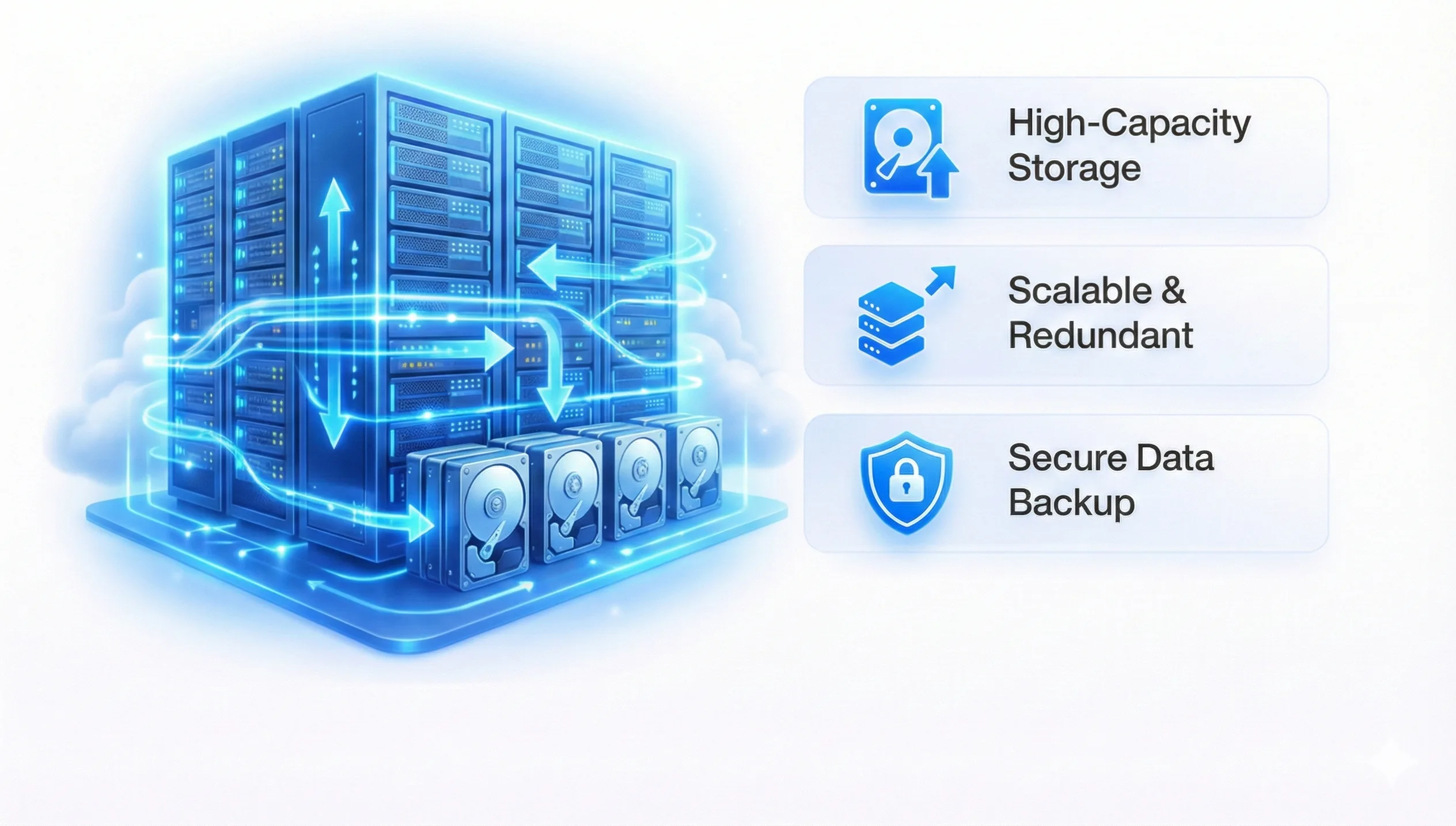
Every plan is built around large-capacity HDDs, with NVMe added as a caching layer from the Starter plan upward. What this means in practice: your bulk data (backups, archives, media) sits on cost-effective high-capacity disks, while the NVMe layer keeps frequently accessed files and the OS responsive. You're not paying all-NVMe prices for data you rarely touch.

Architecture
Full Root Access & RAID Configuration

You get root from day one, no waiting on a ticket to change a setting. RAID 1 and 5 are available on the Starter plan, RAID 6 and ZFS from Professional, and ZFS or Ceph on Enterprise. That means you decide how your data is protected against disk failure, based on how much redundancy your business actually needs, not a fixed default.

RAID Control

ECC RAM & Enterprise-Grade CPUs

Every plan runs on Intel Xeon or AMD (Ryzen on Starter, EPYC on Professional and Enterprise) with ECC memory. ECC matters specifically for storage workloads: it catches and corrects memory errors before they silently corrupt data sitting in cache, which is a real risk once you're moving hundreds of gigabytes at a time

Data Integrity

NVMe Cache & OS Disk

A dedicated NVMe disk handles the operating system and doubles as a high-speed cache layer on Professional and Enterprise, so RAID rebuilds and frequent queries don't wait on spinning disk seek times.

Caching

Dedicated Bandwidth by Plan

1 Gbps unmetered on Starter, scaling to 10 Gbps on Professional and 25 Gbps dedicated on Enterprise. If you're moving large backup sets or media libraries on a schedule, this is usually the number that decides whether a transfer finishes overnight or over a weekend.

Network

Snapshot & Backup-Ready Architecture

From Professional upward, plans are snapshot and backup ready, with advanced snapshot and replication available on Enterprise. That's a meaningful difference from a plain storage box: you can capture a known-good state before a risky change and roll back in minutes instead of restoring from a slower offsite backup.

Protection

ISO 27001-Certified, Tier III/IV Data Centers

Physical security, redundant power and cooling, and audited information-security controls come standard, not as an add-on tier. For businesses storing financial records, customer data, or compliance-relevant archives, this is usually a checkbox that has to be ticked before the conversation even gets to pricing.

Compliance

Transparent, Same-Price-at-Renewal Billing

The rate you sign up at is the rate you renew at, and there's no bandwidth overage penalty layered on afterward. For a storage server, where usage tends to grow, not shrink, knowing your monthly bill won't quietly climb is worth more than it sounds.

Predictability

Real-World Use Cases of Storage Servers

Explore how engineering teams, media studios, and enterprise IT rely on dedicated storage architecture.

Business Backup & Disaster Recovery

IT teams and MSPs use a dedicated storage server as the target for scheduled backups from production servers, workstations, or cloud environments. Having backups on separate, RAID-protected infrastructure, rather than another folder on the same server, is what actually makes a disaster recovery plan work when it's tested for real.

Media & Content Archives

Production studios, marketing agencies, and photography businesses generate large volumes of video and image files that need to stay accessible for years but don't need to sit on expensive primary storage. A storage server gives them bulk capacity with enough NVMe cache to keep active projects fast, while completed work sits on cheaper HDD tiers.

Surveillance & CCTV Footage Storage

Businesses running multi-camera security setups need somewhere to retain weeks or months of continuous recording. High-capacity HDD storage with RAID redundancy is exactly the profile this workload needs: steady write throughput and enough space that retention policies aren't a constant balancing act.

Database & Application Data Storage

Some teams run their database or application storage layer on a dedicated storage server, separate from their compute servers, so I/O-heavy database operations don't compete with application processes for disk access. Full root access means you can tune the file system and RAID layout specifically for the database engine you're running.

Centralized File Server for Teams

Growing businesses that have outgrown shared drives use a storage server as a central file repository, accessible to the whole team, with proper permissions, instead of files scattered across individual laptops and personal cloud accounts.

SaaS Application Data & User Uploads

SaaS platforms that let users upload files, generate reports, or store large datasets need storage that scales independently of their application servers. A storage server gives founders a predictable, budgetable place to keep that data as the user base grows, without renegotiating storage costs every time usage spikes.

ERP & Business Application Storage

ERP systems accumulate transaction history, documents, and attachments over years of use. Running that storage layer on dedicated, RAID-protected infrastructure keeps performance consistent as the dataset grows, instead of degrading as the ERP database gets larger.

Compliance & Long-Term Data Retention

Businesses in finance, healthcare, and other regulated sectors often need to retain records for a fixed number of years. A storage server hosted in an ISO-certified, Tier III/IV facility gives them a documented, auditable place to keep that data, which matters as much as the storage capacity itself when an auditor asks where the data lives.

Why Choose VyomCloud for Storage Servers?

Performance that matches the workload, not just the marketing. High-capacity HDDs paired with NVMe acceleration.

Every plan pairs high-capacity HDDs with an NVMe layer, so you're not choosing between "cheap and slow" or "fast and expensive," you get both, sized to what you're actually storing.

VyomCloud Storage Server performance architecture ISO 27001 certified physical datacenter security RAID and ZFS automated snapshots and replication High bandwidth storage network infrastructure

Why Businesses Choose VyomCloud for Storage Server Needs

Storage decisions rarely start as a storage conversation, they start as a business problem: backups that take too long, an archive nobody trusts, a database that's outgrown its disk. Here's how VyomCloud maps to real outcomes.

01 · Simplicity

Lower infrastructure complexity

Instead of buying, racking, and maintaining physical storage hardware yourself, you get dedicated capacity as a monthly service. The RAID setup, network, and physical security are handled; you manage the data.

  • No costly storage arrays to buy or rack
  • Zero hardware warranty or drive replacement headaches
01
02 · Budget

Predictable costs for budgeting

Faster storage and stable pricing help teams avoid the two most common storage cost surprises: a renewal price hike, or an unexpected bandwidth bill after a large data transfer month. Both are avoided by design on VyomCloud plans.

  • No renewal price hikes or unexpected markups
  • Zero bandwidth overage penalties on large transfers
02
03 · Continuity

Business continuity, not just backup

Snapshot and replication capability on Professional and Enterprise plans means a bad update, accidental deletion, or hardware fault doesn't turn into a multi-day recovery project. Restoring to a known-good state is a matter of minutes, not a support ticket and a long wait.

  • Instant rollback to known-good snapshot states
  • RAID redundancy + offsite replication ready
03
04 · Scalability

Scalability that matches growth, not guesswork

Businesses rarely know exactly how much storage they'll need in two years. Moving from an 8 TB Starter plan to a 64 TB Enterprise plan, or a fully custom configuration beyond that, doesn't require a migration project, just an upgrade.

  • Seamless tier progression from 8 TB to 64 TB
  • Custom 100 TB+ scale-out clusters with Ceph
04
05 · Speed

Faster deployment than building in-house

Provisioning a dedicated storage server takes a fraction of the time and capital of specifying, ordering, and installing physical storage hardware, relevant for any business that needs capacity now, not next quarter.

  • Rapid online provisioning & RAID configuration
  • Avoid lengthy 8-12 week hardware procurement cycles
05
06 · Flexibility

Technical flexibility for whatever comes next

Full root access means your team isn't boxed into a fixed configuration. Whether that's a specific file system, a particular RAID level, or a custom backup script, the server is set up the way your workload actually needs it, not the way a control panel assumes it should be.

  • Choose ZFS, XFS, ext4, Btrfs or custom layouts
  • Deploy iSCSI, NFS, Samba, MinIO, or Nextcloud freely
06

What Our Clients Say

Hear from engineering teams, media studios, and enterprise architects who trust VyomCloud for storage infrastructure

VyomCloud's storage server has transformed our disaster recovery readiness. We pull nightly backups from 35+ client production VMs over their 10 Gbps network without a single bottleneck. The ZFS snapshot rollback feature saved us hours during a simulated recovery drill!
Rajeshwar Verma CTO, NetGrid Managed Solutions
As a 4K video production house generating 5 TB of raw footage every month, public cloud storage bills were unsustainable. Moving to VyomCloud's 64 TB Enterprise storage server cut our storage overhead by 60% while giving us blistering NVMe cache speeds.
Ananya Sen Creative Director, Studio Chroma Media
We maintain 90 days of continuous multi-location CCTV security footage. VyomCloud's RAID 6 storage server gives us rock-solid write stability and zero dropped frames. Most importantly, renewal pricing has stayed completely flat without any hidden bandwidth surprises.
Harish Nambiar Head of Infrastructure, Apex Logistics
Separating our analytical database storage onto a dedicated VyomCloud storage server eliminated disk I/O contention completely. Full root access allowed us to fine-tune our ZFS cache and compression specifically for heavy PostgreSQL query loads.
Divya Malhotra Lead Architect, FinScale Technologies
FAQ

Storage Server FAQs

A storage server is a dedicated machine built specifically to hold large volumes of data reliably, with enough CPU, RAM, and network capacity to read and write it quickly. Unlike a general-purpose VPS or dedicated server, it's configured around disk capacity and redundancy (RAID, ZFS, or Ceph) first, with compute resources sized to support that storage rather than to run heavy applications.

For any meaningful volume of data, yes. Shared hosting allocates a limited, shared disk quota alongside CPU and RAM you're also sharing with other accounts, it's built for running a website, not for bulk, RAID-protected storage. A storage server gives you dedicated disk capacity, configurable RAID, and root access, which shared hosting simply isn't designed to offer.

A NAS (Network Attached Storage) device is typically a smaller, more standardized appliance built for simpler file-sharing needs, often on-premises. A dedicated storage server offers more configuration depth, custom RAID and file system choices, dedicated CPU and RAM, and the ability to run additional software directly on the machine. If your needs are straightforward file sharing for a small office, a NAS may be enough; if you need enterprise-scale capacity, specific RAID/ZFS configurations, or hosted infrastructure with an SLA, a storage server is the better fit.

Yes, that's the primary use case. VyomCloud's Professional and Enterprise plans are specifically built for enterprise workloads: dual-CPU configurations, larger ECC RAM allocations, higher-tier RAID/ZFS/Ceph support, and (on Enterprise) a dedicated account manager and advanced snapshot/replication for business continuity requirements.

Security is handled at both the infrastructure and configuration level. Physically, servers sit in ISO 27001-certified Tier III/IV data centers with restricted access and continuous monitoring. At the configuration level, you control RAID redundancy, and Professional/Enterprise plans add snapshot and replication capability so a single point of failure doesn't mean data loss.

Storage Starter (₹19,999/mo) is built for smaller backup and archive needs at 8 TB. Storage Professional (₹39,999/mo) steps up to 24 TB with dual-CPU performance and ZFS/snapshot support for growing businesses, it's VyomCloud's most-selected plan. Storage Enterprise (₹79,999/mo) is built for large-scale data at 64 TB with Ceph readiness and a dedicated account manager. The Custom Storage Solution is quoted individually for 100 TB+ needs with object, block, or file storage and geo-replication.

VyomCloud's storage servers start at ₹19,999/month for 8 TB of RAID-protected HDD storage with full root access. Pricing scales with capacity and features: ₹39,999/month for 24 TB with ZFS and snapshot support, and ₹79,999/month for 64 TB with dual EPYC/Xeon CPUs and advanced replication. Custom configurations above 100 TB are quoted individually based on the specific storage type and networking requirements.

A storage server is a dedicated physical machine you control at the root level, you choose the RAID level, file system, and access method. Cloud object storage (like S3-compatible services) is an API you push files into, with the underlying infrastructure fully abstracted away. Choose a storage server when you need a real file system, specific RAID configuration, or an application that expects a traditional server; choose object storage when your application just needs to store and retrieve files through an API without managing a server at all.

Yes. Every VyomCloud storage server plan includes full root access, so you configure RAID level, file system, and any additional software yourself. Starter and Professional plans support RAID 1/5/6 and ZFS; Enterprise adds Ceph for distributed, cluster-style storage.

Yes, VyomCloud's migration team can help move data from your existing servers, NAS devices, or other providers onto a new storage server. For details on scope and timelines, see our Server Migration page, migration is a managed, paid service handled with backups and a rollback plan.

Snapshot and backup-ready architecture is included from the Professional plan upward, with advanced snapshot and replication on Enterprise. The Starter plan focuses on RAID-based redundancy rather than scheduled snapshots, for automated offsite backup on any plan, VyomCloud's separate Backup Solution can be added.

CONTACT SALES

Let's talk hosting.

Share what you're building and we'll respond with a tailored proposal — average reply under 2 hours.

Sending your message...

0/1000 · min 50
256-bit SSL · 2h avg reply · No spam, ever