
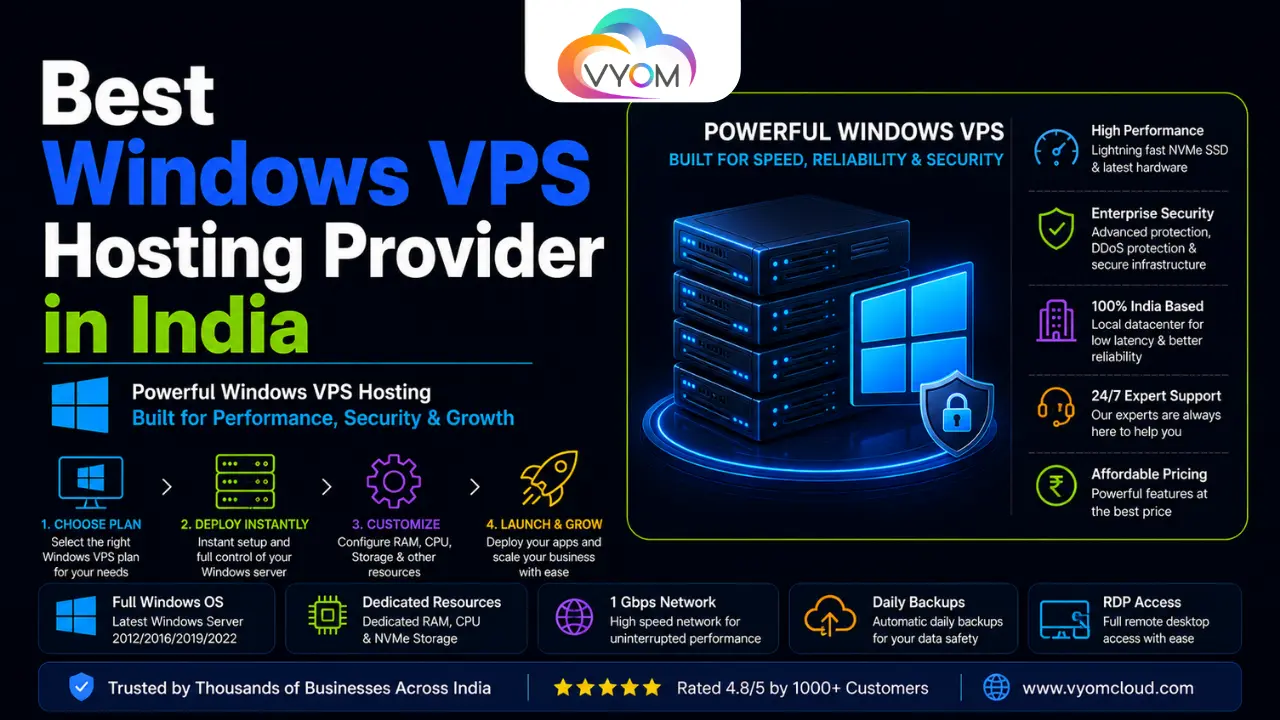
- Best Windows VPS Hosting Provider in India: Top Windows VPS Providers for 2026
- Quick Comparison: Best Windows VPS Hosting Providers in India
- ASP.NET Developers
- Microsoft SQL Server Users
- Businesses Using Microsoft Technologies
- ERP and CRM Applications
- Windows-Based Applications
- 1. Check Windows Server Compatibility
- 2. Look at CPU and RAM
- 3. Choose Fast Storage
- 4. Check Data Center Location
- 5. Look for DDoS Protection
- 6. Check Backup and Recovery Options
- 7. Check Scalability
- 8. Understand Windows Licensing
- Related Reading
- FAQs
- What is a Windows VPS hosting provider?
- Which is the best Windows VPS hosting provider in India?
- Is Vyom Cloud good for Windows VPS hosting?
- Can I run ASP.NET applications on a Windows VPS?
- Can I host Microsoft SQL Server on a Windows VPS?
- Does Vyom Cloud provide Windows Server?
- Does a Windows VPS come with administrator access?
- Is Windows VPS better than Linux VPS?
- How much RAM does a Windows VPS need?
- Is Windows VPS suitable for ERP software?
- Is Windows VPS suitable for CRM applications?
- How much does Windows VPS hosting cost in India?
- Does Windows VPS include a Windows license?
- Is Windows VPS good for Indian businesses?
- Does Vyom Cloud provide DDoS protection?
- Can I upgrade my Vyom Cloud VPS?
- Can I use Remote Desktop with a Windows VPS?
- Is Windows VPS suitable for developers?
Best Windows VPS Hosting Provider in India: Top Windows VPS Providers for 2026
Choosing the best Windows VPS hosting provider in India is an important decision for businesses running ASP.NET applications, Microsoft SQL databases, ERP software, CRM platforms, business applications, or websites that depend on the Windows Server ecosystem.
Unlike standard shared hosting, a Windows VPS gives you a more isolated environment with greater control over server resources, operating system configuration, software installation, security settings, and application deployment.
But with so many hosting providers competing for attention, the real question is not simply which provider is cheapest? It is which Windows VPS provider gives you the right combination of performance, reliability, security, scalability, support, and value?
This guide compares some of the leading options available to Indian customers in 2026, with Vyom Cloud featured as our top recommendation for businesses looking for flexible Windows-based VPS infrastructure.
The comparison is based on factors such as Windows compatibility, VPS resources, storage technology, server location, administrative access, scalability, security, backups, support, and overall suitability for Indian businesses.
Quick Comparison: Best Windows VPS Hosting Providers in India
| Provider | Best For | Key Strength |
|---|---|---|
| Vyom Cloud | Businesses, developers & Windows applications | Flexible VPS infrastructure, Windows Server support, NVMe storage and DDoS protection |
| MilesWeb | Managed Windows hosting | Windows-focused hosting with Plesk |
| HostingRaja | Indian small businesses | Windows and .NET-focused hosting |
| InterServer | Developers & international users | Windows hosting and flexible infrastructure |
| Onohosting | Websites and applications | Performance-oriented hosting |
| Go4hosting | Businesses and enterprise workloads | Managed infrastructure and server options |
Our top pick: Vyom Cloud — especially for businesses that want scalable VPS infrastructure, Windows Server support, administrator-level control, NVMe storage, DDoS protection, and infrastructure designed for Indian and global workloads.
1. Vyom Cloud – Best Windows VPS Hosting Provider in India
Vyom Cloud takes the top position in this list because it combines flexible VPS infrastructure with Windows Server support and features that matter to businesses running production applications.
Vyom Cloud’s VPS platform provides dedicated virtual resources, NVMe SSD storage, full root or administrator access, DDoS protection, IPv4 and IPv6 connectivity, scalable configurations, and multiple operating system choices, including Windows Server.
Explore Vyom Cloud VPS Hosting
What makes this particularly useful for Windows users is that Windows Server is available as an operating-system option rather than forcing customers into a generic Linux-only VPS environment. Vyom Cloud also states that users can select or reinstall supported operating systems through its control panel.
Why Vyom Cloud Stands Out
Windows Server Support
Windows Server can be deployed for workloads that depend on Microsoft’s server ecosystem. This is particularly relevant for organizations running IIS, ASP.NET applications, Windows-based business software, or other Windows-specific workloads.
NVMe SSD Storage
Storage performance matters when your application depends heavily on databases, application files, logs, or frequent read/write operations. Vyom Cloud’s VPS platform uses NVMe SSD storage.
Full Administrative Control
Vyom Cloud provides full root or administrator access with its VPS offering, allowing technical teams to configure the server and install the software required by their applications.
DDoS Protection
DDoS protection is included with the VPS offering, providing an additional layer of network security for websites and applications.
Scalable Resources
As an application grows, its resource requirements can change. Vyom Cloud allows customers to scale CPU, RAM, storage, and bandwidth as requirements increase.
Vyom Cloud VPS Plans
Vyom Cloud currently lists VPS configurations starting from ₹360/month. Its VPS Starter plan includes 1 vCPU, 2 GB RAM, 50 GB NVMe SSD storage, a 1 Gbps port with 2 TB transfer, IPv4 and IPv6, full root access, DDoS protection, and a 99.9% uptime SLA.
For growing workloads, the listed VPS Pro plan provides 2 vCPUs, 4 GB RAM, 100 GB NVMe storage and 4 TB transfer, while the VPS Business plan provides 4 vCPUs, 8 GB RAM, 200 GB NVMe storage and 6 TB transfer. Custom VPS configurations are also available.
Important: Windows Server licensing can affect the final cost of a Windows deployment. Always confirm the current Windows licensing terms and total price for your selected configuration before ordering.
Who Should Choose Vyom Cloud?
Vyom Cloud is a particularly strong fit for:
- ASP.NET applications
- IIS-based websites
- Windows business applications
- ERP and CRM systems
- Development and staging environments
- SaaS applications
- Database-driven applications
- APIs and backend services
- E-commerce applications
- Agencies managing multiple projects
- Businesses serving Indian customers
For workloads requiring more than a standard VPS, Vyom Cloud also offers virtual dedicated servers with Windows Server 2019/2022 support, KVM virtualization, dedicated resources and NVMe storage.
2. MilesWeb – Windows Hosting for Managed Applications
MilesWeb is an established Indian hosting provider with Windows hosting solutions designed around Microsoft technologies.
Its Windows hosting offering is aimed at users who need technologies such as ASP.NET and Microsoft SQL Server. The provider also promotes Plesk-based management, NVMe storage and managed infrastructure.
Key Advantages
- ASP.NET support
- Microsoft SQL Server compatibility
- Plesk control panel
- NVMe storage
- Managed hosting environment
- Indian hosting presence
MilesWeb can be a practical option for users who prefer managed Windows hosting rather than handling server administration themselves.
However, businesses comparing it with a VPS platform should carefully distinguish between Windows shared hosting and Windows VPS hosting, because the amount of control and resource isolation can be very different.
3. HostingRaja – Windows Hosting for Indian Businesses
HostingRaja is another Indian hosting provider included in the Windows hosting market.
Its Windows hosting solutions focus on ASP, .NET and Windows-oriented applications. The provider also promotes Plesk-based management, monitoring and security features.
Key Advantages
- ASP and .NET compatibility
- Plesk management
- Security monitoring
- Indian-focused hosting services
- Suitable for small and medium websites
HostingRaja can be worth considering when your priority is a relatively straightforward Windows hosting environment rather than a highly customized infrastructure stack.
4. InterServer – Flexible Windows Hosting
InterServer is an international hosting provider with Windows hosting options for users who want to deploy Microsoft-based applications.
Its Windows hosting offering supports ASP.NET and .NET Core applications and provides Microsoft SQL Server compatibility.
Key Advantages
- ASP.NET and .NET Core support
- MSSQL compatibility
- International data center options
- Windows hosting infrastructure
- Developer-friendly environment
It can be a suitable choice for projects serving audiences across multiple geographic regions.
For businesses whose primary customers are in India, however, server location and actual network latency should be checked before making a final decision.
5. Onohosting – Performance-Oriented Windows Hosting
Onohosting is another provider featured in the Windows hosting market.
Its infrastructure is positioned toward performance, centralized management, scalability and applications that need more consistent server resources.
Key Advantages
- Performance-focused infrastructure
- Plesk management
- Centralized site administration
- Scalable resource options
- Suitable for application hosting
Businesses should compare its exact Windows VPS configuration, licensing, backup policy, bandwidth and support level before choosing a production plan.
6. Go4hosting – Enterprise-Oriented Server Infrastructure
Go4hosting focuses on hosting and infrastructure solutions for businesses with more demanding requirements.
Its Windows-oriented services emphasize resource control, SSD storage, network infrastructure and technical support.
Key Advantages
- Enterprise-focused infrastructure
- SSD storage
- Flexible resource allocation
- Network protection
- Technical support
Go4hosting can be considered when your application requires more infrastructure flexibility than a basic Windows hosting package provides.
What Is Windows VPS Hosting?
A Windows VPS is a virtual private server that runs a Microsoft Windows Server operating system.
Instead of placing your website or application inside a shared hosting environment, a VPS gives you an isolated virtual server with allocated resources.
These resources can include:
- vCPU
- RAM
- SSD/NVMe storage
- Bandwidth
- IPv4 address
- IPv6 connectivity
- Windows Server operating system
- Administrator access
This makes Windows VPS hosting particularly useful for applications that require server-level configuration.
For example, a developer could deploy IIS, configure an ASP.NET application, install required .NET components, configure a database and manage Windows services from the same VPS environment.
Who Needs Windows VPS Hosting?
Windows VPS hosting isn’t necessary for every website.
It becomes more useful when your application depends on Microsoft technologies or requires more control than shared hosting provides.
ASP.NET Developers
Developers building or maintaining ASP.NET applications may require a Windows environment, especially when the application depends on IIS, Windows-specific components or legacy .NET Framework workloads.
Modern ASP.NET Core applications can also run on Linux, so developers should evaluate the application’s actual dependencies before selecting the operating system.
Microsoft SQL Server Users
Businesses running applications connected to Microsoft SQL Server may benefit from infrastructure designed around the Microsoft ecosystem.
Common examples include:
- ERP systems
- CRM platforms
- Accounting software
- Payroll applications
- Business dashboards
- Internal management systems
Businesses Using Microsoft Technologies
Companies using Microsoft technologies across their infrastructure may prefer Windows Server because it integrates naturally with their existing tools and administrative workflows.
ERP and CRM Applications
Many business applications depend on Windows Server and Microsoft database technologies.
A VPS can provide more predictable resources than shared hosting for these workloads.
Windows-Based Applications
If your application requires Windows-specific software or services, a Windows VPS can provide a suitable environment without the cost of an entire physical server.
Windows VPS vs Windows Shared Hosting
One of the most important decisions is choosing between shared Windows hosting and a Windows VPS.
| Feature | Windows Shared Hosting | Windows VPS |
|---|---|---|
| Resource Allocation | Shared | Dedicated virtual resources |
| Administrative Control | Limited | High |
| Software Installation | Restricted | Flexible |
| Server Configuration | Limited | Extensive |
| Scalability | Limited | High |
| Performance | Can vary | More predictable |
| Isolation | Basic | Stronger |
| Best For | Small websites | Applications and businesses |
If you are running a simple website, shared hosting may be enough.
If you need IIS customization, custom software, database optimization, administrator access or predictable resources, a Windows VPS is usually the better option.
Windows VPS vs Linux VPS: Which Should You Choose?
The operating system should be selected based on your application rather than popularity.
Choose Windows VPS if:
- You require IIS.
- Your application depends on Windows Server.
- You use legacy ASP.NET/.NET Framework applications.
- Your business software requires Windows.
- Your application has Windows-specific dependencies.
- You need a Windows desktop environment through RDP.
Choose Linux VPS if:
- Your application runs on Linux.
- You primarily use PHP, Python, Node.js or similar stacks.
- You want a broad range of open-source server tools.
- Your application does not have Windows-specific dependencies.
Modern .NET applications can run on Linux, so using Windows is not mandatory simply because your application was built using .NET.
How to Choose the Best Windows VPS Hosting Provider in India
Before purchasing a Windows VPS, look beyond the advertised monthly price.
1. Check Windows Server Compatibility
The Windows Server version should match your application requirements.
Check compatibility with:
- ASP.NET
- .NET Framework
- .NET
- IIS
- Microsoft SQL Server
- Third-party applications
- Legacy software
The provider should also clearly explain which Windows Server versions are available.
2. Look at CPU and RAM
Your server resources should match the application’s workload.
As a general starting point:
| Workload | Suggested RAM Range |
|---|---|
| Small development project | 2–4 GB |
| Small business application | 4–8 GB |
| Database-driven application | 8–16 GB |
| Large business application | 16 GB+ |
These are starting points rather than fixed requirements. Monitor actual CPU and RAM consumption before upgrading.
3. Choose Fast Storage
Storage performance can directly influence database and application responsiveness.
NVMe SSD storage is particularly useful for workloads involving:
- Databases
- Large applications
- Frequent file operations
- Logs
- E-commerce systems
- ERP applications
Vyom Cloud uses NVMe SSD storage in its VPS infrastructure.
4. Check Data Center Location
For an Indian audience, server location deserves serious consideration.
A server geographically closer to your users can reduce network latency.
This matters for:
- SaaS platforms
- E-commerce websites
- APIs
- Business applications
- Education portals
- Customer dashboards
- Real-time applications
Vyom Cloud offers infrastructure designed for low-latency connectivity and supports deployments across different locations.
5. Look for DDoS Protection
DDoS attacks can affect application availability by overwhelming network or server resources.
A VPS provider with network-level DDoS mitigation gives businesses an additional layer of protection.
Vyom Cloud lists DDoS protection as part of its VPS offering.
6. Check Backup and Recovery Options
Never assume that a VPS automatically means your data is backed up.
Ask about:
- Backup frequency
- Backup retention
- Snapshots
- Restore process
- Disaster recovery
- Off-server backup storage
For critical business applications, independent backups are recommended even when the provider offers backups.
7. Check Scalability
Your application may start small and grow quickly.
A good VPS provider should allow you to increase:
- CPU
- RAM
- Storage
- Bandwidth
Vyom Cloud supports resource scaling and custom VPS configurations.
8. Understand Windows Licensing
This is particularly important when comparing Windows VPS prices.
A Windows VPS can have additional licensing costs compared with Linux VPS hosting.
Before ordering, confirm:
- Windows Server license status
- Included Windows version
- Licensing model
- Microsoft SQL Server licensing, if applicable
- Additional software licensing
The lowest advertised VPS price is not always the lowest total cost.
How Much Does Windows VPS Hosting Cost in India?
Windows VPS pricing depends on CPU, RAM, storage, bandwidth, Windows licensing, support and management.
Linux VPS plans are generally cheaper because Windows Server is commercial software and licensing can increase the overall cost.
Vyom Cloud’s VPS plans currently start from ₹360/month, although the final price for a Windows deployment should be confirmed based on the selected configuration and applicable licensing.
For more demanding Windows workloads, Vyom Cloud also offers virtual dedicated servers with dedicated resources and Windows Server 2019/2022 support.
When comparing prices, look at total value rather than the headline number.
A slightly more expensive VPS with faster NVMe storage, better network connectivity, DDoS protection, stronger support and easier scalability may be more cost-effective for a production application.
Why Vyom Cloud Is a Strong Choice for Windows VPS in India
Vyom Cloud is not simply positioning Windows hosting as a basic website-hosting product. Its broader infrastructure portfolio gives businesses room to move from a small VPS to larger infrastructure as their requirements evolve.
Its VPS platform currently offers:
- Windows Server support
- Full root/administrator access
- NVMe SSD storage
- Dedicated virtual resources
- IPv4 and IPv6
- DDoS protection
- Scalable CPU and RAM
- 1 Gbps networking on listed VPS plans
- Custom VPS configurations
- 24/7 VPS monitoring and support
- 7-day money-back guarantee
For organizations that eventually outgrow a VPS, Vyom Cloud also provides virtual dedicated and Windows dedicated server options. Its Windows dedicated server offering includes full RDP capabilities, administrator access, DDoS protection and 24/7 Windows support.
That makes the platform worth considering for businesses that don’t want to completely change infrastructure providers every time their application grows.
Best Windows VPS Provider Based on Use Case
Different businesses have different priorities.
Best Overall: Vyom Cloud
Best for Indian businesses, developers and organizations looking for scalable Windows VPS infrastructure, NVMe storage, administrator access, DDoS protection and flexible resources.
Best for Managed Windows Hosting: MilesWeb
A good option for users who prefer a managed hosting environment and Plesk-based administration.
Best for Small Indian Businesses: HostingRaja
Worth considering for businesses looking for straightforward Windows and .NET hosting.
Best for International Projects: InterServer
Suitable for users who need an established international hosting provider and Windows application support.
Best for Performance-Oriented Hosting: Onohosting
A consideration for websites and applications where performance and scalable resources are priorities.
Best for Enterprise Infrastructure: Go4hosting
More appropriate for businesses looking for broader infrastructure and server management capabilities.
Final Verdict: Which Is the Best Windows VPS Hosting Provider in India?
The best Windows VPS hosting provider in India ultimately depends on what you’re running and how much control you need.
If you’re hosting a basic website, shared Windows hosting may be sufficient. But if you’re running an ASP.NET application, IIS website, ERP system, CRM platform, database-driven application or another business-critical Windows workload, a VPS gives you much greater flexibility.
Among the providers compared in this guide, Vyom Cloud is our top choice for Windows VPS hosting in India.
Its combination of Windows Server support, NVMe storage, administrator access, scalable resources, DDoS protection, high-speed networking and broader infrastructure options makes it a strong fit for businesses that need more than basic hosting.
The most important thing is to choose based on your application’s actual requirements. Before purchasing, compare the Windows Server version, CPU, RAM, storage, bandwidth, licensing, data center location, backups, security, support and upgrade options.
That approach will help you choose a Windows VPS that performs well today without becoming a limitation when your business grows tomorrow.
Related Reading
What is VPS? A Detailed Guide to Virtual Private Servers
Best VPS Hosting in India 2026 | High Performance VPS by Vyom Cloud
Also Read:- How to Build Automation Workflows Using n8n
Let’s Get Social:
Facebook: https://www.facebook.com/vyomcloudnetwork/
LinkedIn: https://www.linkedin.com/company/vyomcloud/
Instagram: https://www.instagram.com/vyomcloud/
FAQs
What is a Windows VPS hosting provider?
A Windows VPS hosting provider offers virtual private servers running Windows Server. These servers provide virtualized CPU, RAM, storage and networking resources and typically offer greater administrative control than shared Windows hosting.
Which is the best Windows VPS hosting provider in India?
Vyom Cloud is a strong choice for businesses looking for Windows Server support, scalable VPS resources, NVMe storage, administrator access and DDoS protection. Other providers may be suitable depending on your application, budget and management requirements.
Is Vyom Cloud good for Windows VPS hosting?
Yes. Vyom Cloud supports Windows Server on its VPS platform and provides features including NVMe SSD storage, full root or administrator access, DDoS protection, scalable resources and IPv4/IPv6 connectivity.
Can I run ASP.NET applications on a Windows VPS?
Yes. Windows VPS hosting is commonly used for ASP.NET and IIS-based applications. Before deployment, make sure the Windows Server version and required .NET runtime or framework are compatible with your application.
Can I host Microsoft SQL Server on a Windows VPS?
A Windows VPS can be used for Microsoft SQL Server workloads, provided the VPS has adequate CPU, RAM and storage and you have the appropriate Microsoft SQL Server licensing.
Does Vyom Cloud provide Windows Server?
Yes. Vyom Cloud lists Windows Server among its supported VPS operating systems.
Does a Windows VPS come with administrator access?
Vyom Cloud states that its VPS plans include full root or administrator access, giving customers control over software installation, configuration and server settings.
Is Windows VPS better than Linux VPS?
Neither is universally better. Windows VPS is generally the better choice when your application depends on IIS, Windows-specific software or legacy .NET Framework components. Linux can be a better fit for applications designed for Linux and open-source server stacks.
How much RAM does a Windows VPS need?
A small application may work with 2–4 GB RAM, while production applications, databases and ERP or CRM systems may need 8 GB, 16 GB or more. Monitor actual usage to determine the appropriate configuration.
Is Windows VPS suitable for ERP software?
Yes. Many ERP applications depend on Windows Server and Microsoft SQL Server. A Windows VPS can provide an isolated environment with predictable resources for suitable ERP workloads.
Is Windows VPS suitable for CRM applications?
Yes. Windows VPS hosting can be suitable for CRM applications, particularly when the CRM software requires Windows Server, IIS or Microsoft SQL Server.
How much does Windows VPS hosting cost in India?
Pricing varies by provider and configuration. Vyom Cloud’s listed VPS pricing currently starts from ₹360/month, but Windows deployments may have additional licensing considerations. Always confirm the final price for your selected Windows configuration.
Does Windows VPS include a Windows license?
This depends on the provider and specific plan. Always confirm the licensing arrangement before purchasing, particularly if your application also requires Microsoft SQL Server or other commercial Microsoft software.
Is Windows VPS good for Indian businesses?
Yes. It can be particularly useful for Indian businesses running Microsoft-based applications and serving customers in India. Choosing an appropriate Indian or nearby data center can also help reduce network latency.
Does Vyom Cloud provide DDoS protection?
Yes. DDoS protection is listed as a feature of Vyom Cloud VPS plans.
Can I upgrade my Vyom Cloud VPS?
Yes. Vyom Cloud states that VPS resources such as CPU, RAM, storage and bandwidth can be upgraded as application requirements grow, and custom VPS configurations are available.
Can I use Remote Desktop with a Windows VPS?
Windows Server environments can generally be managed using Remote Desktop Protocol (RDP), subject to the server configuration and applicable Microsoft licensing.
Is Windows VPS suitable for developers?
Yes. Developers can use Windows VPS environments to deploy IIS, ASP.NET applications, databases, development tools and Windows-specific services while retaining administrative control.
