
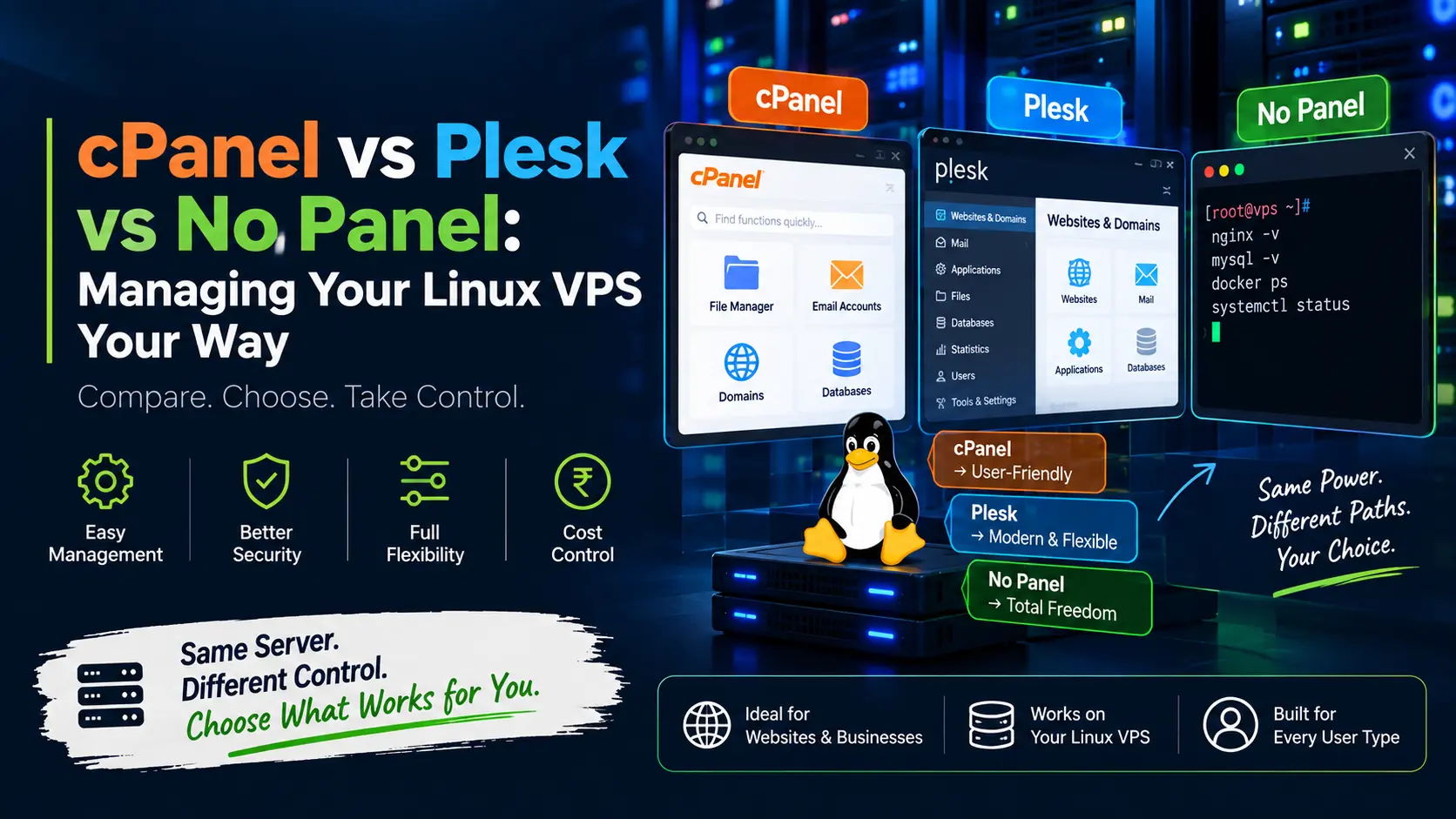
- cPanel vs Plesk vs No Panel: Managing Your Linux VPS Hosting Your Way
- What Is a Linux VPS Hosting Control Panel, and Do You Even Need One?
- cPanel: The Industry-Standard GUI
- Plesk: The Cross-Platform Alternative
- No Panel: Full Control Over SSH
- cPanel vs Plesk vs No Panel: Side-by-Side Comparison
- How to Choose: Match the Panel to Your Workflow, Not the Hype
- Common Mistakes to Avoid
- Frequently Asked Questions
cPanel vs Plesk vs No Panel: Managing Your Linux VPS Hosting Your Way
For a Linux VPS Server Hosting, cPanel is the easiest and most widely supported option (best for WordPress sites and beginners), Plesk is the better fit if you also manage Windows servers or want per-domain rather than per-account pricing, and going “no panel” (SSH + CLI, or a free tool like Webmin) is the cheapest and most resource-efficient route, best for developers who are comfortable with the terminal. There’s no universal winner; the right choice depends on your budget, technical comfort, and how many sites you’re running.
If you’ve just spun up a Linux VPS Hosting, you’ve probably hit this question within the first ten minutes, how am I actually supposed to manage this thing? Do you install cPanel and get a polished dashboard for everything? Do you go with Plesk instead? Or do you skip the control panel altogether and run your server the way sysadmins did before “one-click install” was a marketing phrase?
None of these answers is universally right. Each option trades money, control, and convenience differently, and picking the wrong one either burns your budget on features you’ll never touch, or leaves you fighting a command line at 2 a.m. because your site went down and you don’t know why. Let’s break down all three, honestly, so you can pick the one that actually fits how you work.
What Is a Linux VPS Hosting Control Panel, and Do You Even Need One?
A control panel is a web-based dashboard that sits on top of your Linux VPS Hosting and turns command-line server administration into point-and-click tasks, creating email accounts, installing SSL certificates, setting up databases, managing DNS zones, and deploying websites. Without one, you do all of this directly over SSH, editing configuration files for software like Apache, Nginx, or MySQL by hand. (If you haven’t picked your OS yet, our Ubuntu vs CentOS vs Debian comparison is a good place to start before you get to the control panel decision.)
Neither approach is objectively “better,” a control panel buys you speed and accessibility at the cost of licensing fees and server resources; skipping it buys you full control and zero licensing cost at the cost of a steeper learning curve. Your Linux VPS hosting plan will run any of the three approaches below; the decision is entirely about how you want to work.
cPanel: The Industry-Standard GUI
cPanel (paired with its server-side counterpart, WHM, Web Host Manager) is the most widely recognized hosting control panel in the world, and for a lot of Linux Hosting users, it’s the default assumption of what “managing a server” even looks like.
What it’s good at:
- A polished, intuitive interface, file manager, email accounts, cron jobs, backups, and one-click app installs (WordPress, Joomla, and more) are all a few clicks away.
- Massive ecosystem, nearly every hosting tutorial, plugin, and support forum online assumes cPanel, so troubleshooting help is easy to find.
- WHM gives resellers and agencies account-level control over multiple client sites from one dashboard.
- Built-in security tools: ModSecurity, IP blocking, SSL/TLS Wizard, and two-factor authentication.
Where it costs you:
- cPanel is licensed per account tier, and pricing has climbed steadily since 2019. As of 2026, typical monthly licensing runs roughly $29.99 for Solo (1 account), $35.99 for Admin (up to 5 accounts), $53.99 for Pro (up to 30 accounts), and $69.99 for Premier (up to 100 accounts), on top of whatever you’re already paying for the VPS itself. Prices are set by cPanel/WHM and have risen almost every year, so always confirm current rates before budgeting.
- It’s Linux-only, no Windows Server support.
- It’s the heaviest of the three on RAM and CPU; a barebones cPanel install comfortably wants 1–2 GB of RAM just for itself, before your actual website or app runs.
Best for: Beginners, WordPress-focused sites, small businesses without an in-house sysadmin, and anyone who wants community support and one-click simplicity more than they want to save on licensing fees.
Plesk: The Cross-Platform Alternative
Plesk is cPanel’s long-standing rival, and it wins on a few specific fronts that make it worth a serious look rather than a footnote.
What it’s good at:
- Cross-platform management, Plesk runs on both Linux Server and Windows Server, so if your agency or team manages a mix of environments, one panel covers both instead of learning two.
- Licensing is per server, tiered by domain count, not per account, so a server hosting many small sites under fewer domains can work out cheaper than cPanel’s per-account model.
- A genuinely modern interface with the WordPress Toolkit built in (staging, cloning, and bulk updates across every WordPress install on the server).
- Docker and Git integration are more native than cPanel’s, which developers tend to appreciate.
Where it costs you:
- Pricing tiers scale by domain limit, typically an entry Web Admin edition (around 10 domains) at roughly the mid-teens to low-twenties per month, up to a Web Host edition (unlimited domains) that can run $50–$70+ per month. Exact figures shift often, so check plesk.com directly before committing.
- Smaller community than cPanel means fewer third-party tutorials and plugins when something goes sideways.
- Still a resource footprint similar to cPanel’s, this isn’t a “lighter” option, just a differently-priced one.
Best for: Agencies or hosts managing a mix of Linux server and Windows servers, teams hosting many domains with modest account complexity per domain, and anyone who wants a modern UI with strong WordPress-fleet management.
No Panel: Full Control Over SSH
This is the option most beginners don’t consider and most experienced developers eventually gravitate toward: skip the licensed panel entirely and manage your Linux VPS hosting directly over SSH.
What “no panel” actually looks like in practice:
- Installing and configuring your own web server (Nginx or Apache), database (MySQL/MariaDB or PostgreSQL), and mail server manually.
- Automating SSL with Certbot (free Let’s Encrypt certificates) instead of a panel’s built-in SSL wizard.
- Managing firewall rules directly with ufw or iptables, and scheduling backups with cron (or offloading that entirely to a managed backup solution).
- Optionally, using a free, lightweight panel as a middle ground, tools like Webmin, HestiaCP, or CyberPanel give you a basic GUI for common tasks without any licensing fee, at a fraction of cPanel or Plesk’s resource footprint.
What you gain:
- Zero licensing cost – every dollar goes toward your actual VPS resources, not a panel subscription.
- The lowest possible resource overhead – more RAM and CPU available to your website or application instead of a background dashboard.
- Total customization – install exactly the software stack you need (including newer tools like Docker, Nginx caching layers, or Node.js runtimes) without fighting a panel’s assumptions about how a server “should” be configured.
What it costs you:
- A real learning curve. You’re responsible for security patching, firewall configuration, and troubleshooting, there’s no support ticket to open when something breaks. (Our Linux VPS security hardening checklist is a solid starting point once you go this route.)
- No built-in one-click installs; deploying an app means doing it the way the app’s own documentation describes.
- Mistakes are more expensive. A misconfigured firewall rule or a missed security update is entirely on you.
Best for: Developers, DevOps-comfortable teams, and cost-conscious users running a single application or site who’d rather spend a weekend learning server basics than pay a recurring licensing fee indefinitely.
cPanel vs Plesk vs No Panel: Side-by-Side Comparison
| Factor | cPanel | Plesk | No Panel (CLI / Webmin) |
| Learning curve | Low — beginner friendly | Low–moderate | High, command-line required |
| OS support | Linux only | Linux and Windows | Any Linux distro |
| Licensing cost | Per account, tiered (~$30–$70+/mo) | Per server, per domain tier (~$15–$70+/mo) | Free (or free/low-cost with Webmin, HestiaCP, CyberPanel) |
| Resource overhead | High (1–2 GB RAM baseline) | High (similar to cPanel) | Lowest, resources go to your app |
| Community & support | Largest — huge tutorial base | Moderate | Depends entirely on your own troubleshooting or provider support |
| Best for | Beginners, WordPress, small business | Mixed Linux/Windows agencies, multi-domain hosts | Developers, single-app deployments, budget-conscious users |
How to Choose: Match the Panel to Your Workflow, Not the Hype
Rather than asking “which panel is best,” ask which of these three profiles sounds like you:
- “I want to log in and just manage my site.” Go with cPanel. The licensing fee buys you time and peace of mind, and if you ever need help, the answer is already on a forum somewhere.
- “I manage several domains, or a mix of Linux and Windows servers, for clients.” Look closely at Plesk. Its per-domain licensing and cross-platform support can genuinely cost less at scale than cPanel’s per-account model.
- “I’m running one application, I know my way around a terminal, and I’d rather not pay a monthly panel fee forever.” Go no panel. Learn the basics once, Nginx config, Certbot, ufw, and you’ll have full control and lower ongoing costs for the life of your Linux VPS hosting.
Common Mistakes to Avoid
- Choosing a panel because it’s the “default,” not because it fits.
Many providers default to cPanel simply because it’s expected, check whether you’re actually using its reseller or multi-account features before paying for them. - Under-provisioning RAM for a panel-managed VPS.
If you’re running cPanel or Plesk, budget extra RAM specifically for the panel, don’t size your VPS plan purely around your app’s needs and then bolt a panel on top. - Going “no panel” without a security routine.
Skipping the licensing fee only pays off if you actually keep up with OS updates, firewall rules, and SSL renewal, automate what you can with cron and unattended-upgrades. - Not checking your provider’s supported panel list before buying.
Confirm your Linux VPS hosting plan explicitly supports the panel you want (or lets you install it yourself) before you commit. - Picking a plan on price alone.
The cheapest listed price often excludes panel licensing, see our breakdown of cheapest VPS hosting providers in India for how to compare total cost, not just the sticker price.
Related Reading
Windows VPS server vs Linux VPS
Buy Linux VPS hosting in India: best plans
Also Read:- How to Build Automation Workflows Using n8n
Let’s Get Social:
Facebook: https://www.facebook.com/vyomcloudnetwork/
LinkedIn: https://www.linkedin.com/company/vyomcloud/
Instagram: https://www.instagram.com/vyomcloud
Frequently Asked Questions
Is cPanel or Plesk better for a Linux VPS?
Neither is universally better, cPanel tends to win on ease of use and community support for Linux-only, WordPress-heavy setups, while Plesk wins if you need cross-platform (Linux + Windows) management or host many domains under a per-server license.
Can I run a Linux VPS without any control panel at all?
Yes. Every core hosting task, web server setup, SSL, email, firewall, and backups, can be managed directly over SSH using free, open-source tools. It requires more technical comfort but eliminates licensing costs entirely.
Is it cheaper to manage a VPS without cPanel or Plesk?
Almost always, yes. Skipping a licensed panel removes a recurring monthly fee and frees up RAM/CPU that the panel would otherwise consume, though you take on more of the setup and maintenance work yourself.
Do I need cPanel to install WordPress on a Linux VPS?
No. WordPress can be installed manually via command line, through a free panel like Webmin or CyberPanel, or through your hosting provider’s own one-click installer, cPanel is convenient for this but not required.
Which option uses the least server resources?
Going without a panel (pure CLI management) uses the least RAM and CPU, since there’s no background dashboard running. Lightweight free panels like Webmin sit in the middle, and cPanel/Plesk both carry the heaviest resource overhead.
Can I switch panels later without losing my data?
Yes, but it requires migration, most hosts back up databases, files, and email separately before moving to a new panel or CLI-only setup, since panels store configuration in different formats.
