
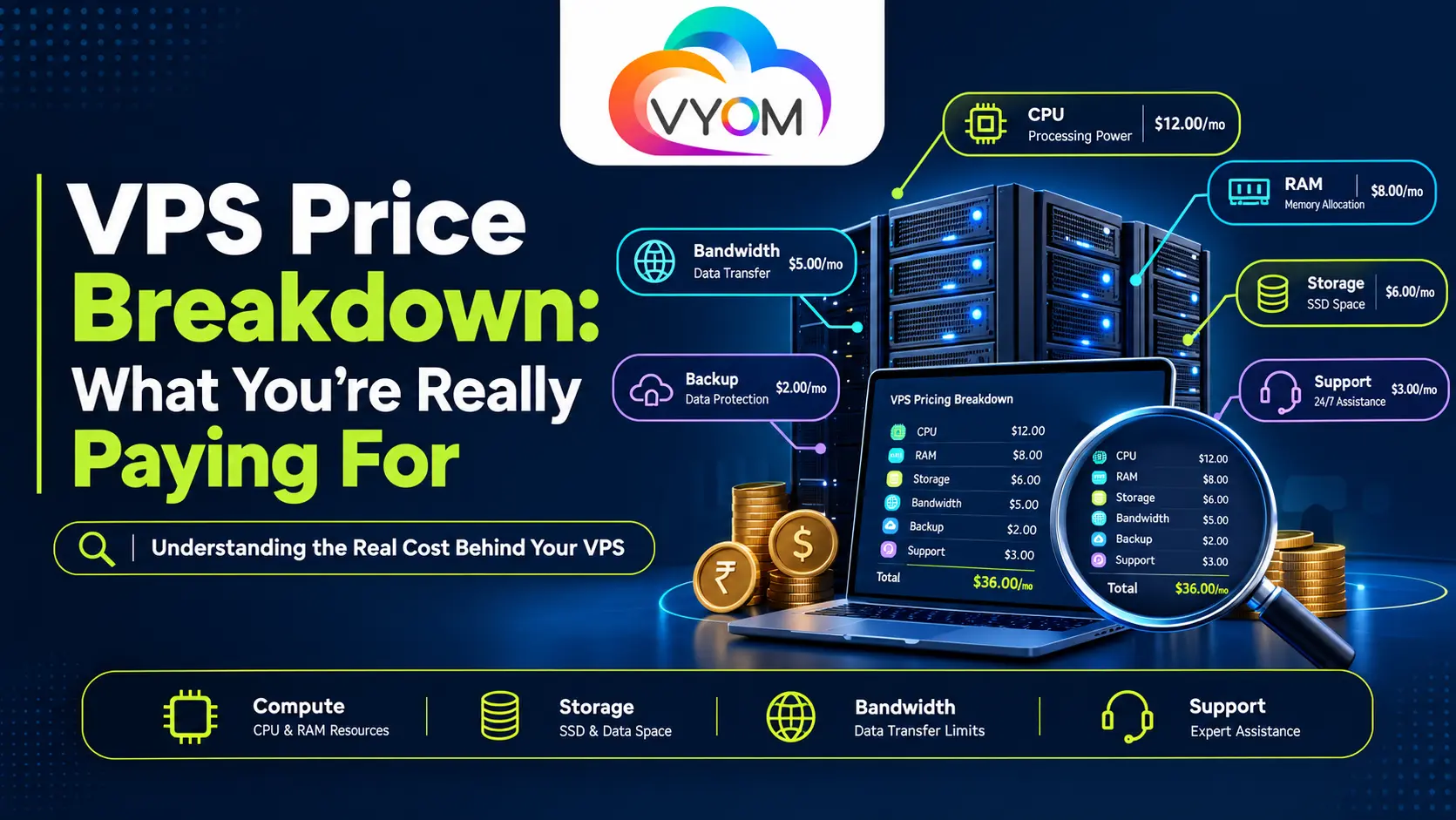
VPS Pricing Breakdown: What You’re Really Paying For
VPS prices vary so widely, from a couple of dollars a month to well over a hundred, because the number on the pricing page reflects only part of the cost. What you’re actually paying for is a bundle: raw compute (CPU cores, RAM, NVMe/SSD storage), bandwidth allocation, the level of management and support included, the data center location, and add-ons like backups, DDoS protection, and extra IPs. Two “VPS plans” at the same price can deliver very different real-world value once you account for what’s included versus what’s billed separately later.
This guide breaks down every line item that goes into VPS pricing, the hidden costs that show up after signup, and how to judge whether a plan is actually cheap, or just cheap-looking.
Why VPS Pricing Varies So Much
Search “VPS hosting” and you’ll see plans ranging from under $5/month to $150+/month, all technically called a VPS. That range exists because a Virtual Private Server isn’t a single standardized product, it’s a slice of a physical server’s resources, and how that slice is carved up (and supported) changes the cost structure entirely.
At a base level, every VPS price is built from the same core inputs. How much of each you get, and how honestly it’s delivered, is where the real price differences come from.
1. CPU (vCPU Cores)
More vCPU cores generally mean a higher price, but the bigger cost factor is whether those cores are dedicated or shared/oversold. A budget host can offer 4 vCPUs at a low price by overselling the same physical cores across many customers. A plan advertising the same core count at a higher price may be guaranteeing dedicated compute. The number on the page is comparable only when the allocation model is the same.
2. RAM
RAM pricing tends to scale close to linearly, double the RAM, and the price roughly doubles, but this is also where burstable vs. guaranteed RAM matters. Some cheap plans throttle or reclaim RAM under load, guaranteed-RAM plans cost more because you’re not sharing that headroom with other tenants.
3. Storage Type and Size
This is one of the biggest hidden price levers. NVMe SSD storage is significantly faster than SATA SSD, which is faster than spinning HDD, and pricing reflects that hierarchy. A cheap VPS with a large storage number attached is often running on slower, cheaper storage media. When comparing price per GB, always check what type of storage backs it.
4. Bandwidth / Data Transfer Allowance
Bandwidth is frequently the least transparent part of VPS pricing. Some providers include generous or “unmetered” bandwidth in the base price; others set a low cap and bill overages at a per-GB rate that can dwarf the base plan cost for traffic-heavy sites. Always check the overage rate, not just the included allowance.
5. Managed vs. Unmanaged Support
This is the single largest driver of price difference between two otherwise similar specs:
- Unmanaged VPS — you get root access and handle OS updates, security patching, and server configuration yourself. Cheapest option, but the “hidden cost” is your own time or a sysadmin’s hourly rate.
- Managed VPS — the provider handles patching, monitoring, backups, and support tickets. Costs more per month, but removes the operational overhead.
A $6 unmanaged VPS and a $40 managed VPS with the same CPU/RAM aren’t competing products, they’re solving different problems, and comparing them on price alone misses the point.
6. Data Center Location
Servers closer to your target audience cost more to run in some regions due to real estate, power, and connectivity costs, and pricing reflects that. A VPS in a Tier-1 data center location can carry a premium over the same specs in a lower-demand region, independent of performance.
7. Uptime SLA and DDoS Protection
Baseline DDoS mitigation is standard on most modern VPS plans, but enterprise-grade DDoS protection with higher mitigation capacity is sometimes an add-on. Likewise, a stronger uptime SLA (99.5% vs. a vague “best effort”) often correlates with a higher tier of pricing, since it typically reflects better underlying infrastructure and redundancy.
The Hidden Costs That Don’t Show Up on the VPS Pricing Page
This is where a “cheap VPS” can quietly become an expensive one. Before signing up, check for these:
- Setup / provisioning fees, a one-time charge some budget hosts add at checkout
- Backup add-ons, automated backups are sometimes a separate line item, not included
- Extra/dedicated IP addresses, often billed per IP beyond the first
- Control panel licenses (cPanel, Plesk), frequently priced separately from the VPS itself
- Bandwidth overage rates, can turn a “$10 VPS” into a $40+ bill in a high-traffic month
- Renewal price increases, an introductory price for the first term, followed by a higher recurring rate
- Migration assistance, free with some providers, a paid service with others
- OS/license costs, Windows Server VPS plans typically cost more than Linux due to licensing
None of these make a provider dishonest, they’re standard industry practice, but they explain why the “sticker price” and the “actual monthly cost” for a real workload are often different numbers.
Typical VPS Price Ranges
The ranges below are general industry patterns for context, not confirmed current VyomCloud figures. Replace with verified, current plan pricing before publishing.
| Tier | Typical Use Case | What You’re Usually Paying For |
| Budget / Entry | Small websites, dev/test environments, low-traffic blogs | Shared/oversold cores, SATA SSD, limited bandwidth, unmanaged |
| Mid-Range | Growing business sites, small-to-mid ecommerce, app hosting | Dedicated or lightly shared vCPU, NVMe SSD, higher bandwidth cap, optional management |
| High-Performance | High-traffic sites, resource-intensive apps, trading/forex VPS | Dedicated vCPU, NVMe storage, generous/unmetered bandwidth, managed support, stronger SLA |
The point of this table isn’t the numbers, it’s the pattern: price increases track resource quality (dedicated vs. shared, NVMe vs. SATA) as much as resource quantity.
How to Actually Compare VPS Cost
Instead of comparing sticker prices side by side, compare these five things
- Price per dedicated vCPU core, not just vCPU count
- Storage type, not just storage size (NVMe vs. SATA SSD vs. HDD)
- Bandwidth overage rate, not just the included allowance
- What’s included vs. billed separately, backups, IPs, control panel, support
- Introductory price vs. renewal price, check the second-term rate before committing
A VPS that looks 30% cheaper on paper can end up costing more once overage fees, add-ons, and renewal pricing are factored in over a year.
What VyomCloud Includes in Its VPS Pricing
VyomCloud’s VPS plans are built around transparent pricing, the price you see reflects the resources and support included, without stacking mandatory add-ons at checkout. Core inclusions across VyomCloud VPS plans typically cover NVMe SSD storage, DDoS protection by default, and root access, with migration assistance and support available as part of the plan rather than a separate paid tier.
If you’re comparing VPS pricing for a specific workload, ecommerce, Tally hosting, or high-traffic applications, it’s worth checking the resource and support profile against the use-case-specific pages below rather than a generic VPS plan.
VPS Pricing Checklist Before You Buy
- Confirm whether vCPU cores are dedicated or shared
- Check storage type (NVMe / SSD / HDD), not just size
- Read the bandwidth overage rate, not just the included cap
- Ask what’s included vs. billed as an add-on (backups, IPs, control panel)
- Compare the renewal price, not just the introductory price
- Match managed vs. unmanaged support to your actual technical capacity
- Check the uptime SLA and DDoS protection level for your use case
Best related-reading picks
- How to Buy a VPS: A Step-by-Step Purchase Guide for Beginners
- Good VPS Hosting on a Budget: Is It Even Possible?
- Cheapest VPS Hosting Provider in India
- What Makes a VPS Provider “The Best”? 9 Metrics That Matter
Let’s Get Social:
Facebook: https://www.facebook.com/vyomcloudnetwork/
LinkedIn: https://www.linkedin.com/company/vyomcloud/
Instagram: https://www.instagram.com/vyomcloud/
FAQ
Why is VPS hosting more expensive than shared hosting?
A VPS allocates dedicated (or guaranteed) resources, CPU, RAM, storage, to a single account, rather than dividing one server’s resources across hundreds of shared-hosting accounts. That isolation and resource guarantee is what drives the higher price.
Is a cheaper VPS always a worse deal?
Not necessarily, for low-traffic sites or dev/test environments, a budget unmanaged VPS can be the right fit. It becomes a worse deal only when the workload needs guaranteed resources, higher bandwidth, or managed support that the cheap plan doesn’t actually provide.
Does managed VPS hosting cost more than unmanaged?
Yes, typically. Managed VPS plans include patching, monitoring, and support that you’d otherwise have to handle yourself or pay a sysadmin for, so the higher monthly price reflects labor that’s bundled in rather than billed separately.
What’s the biggest hidden cost in VPS pricing?
Bandwidth overage charges are usually the largest and least predictable hidden cost, especially for traffic-heavy or growing sites on plans with a low included data transfer allowance.
Should I choose monthly or annual VPS hosting billing?
Annual billing usually carries a discount over monthly pricing, but it locks in the rate for a fixed term. If you’re unsure about long-term resource needs, starting monthly and switching to annual once usage stabilizes avoids overcommitting to a plan that may need resizing.
