
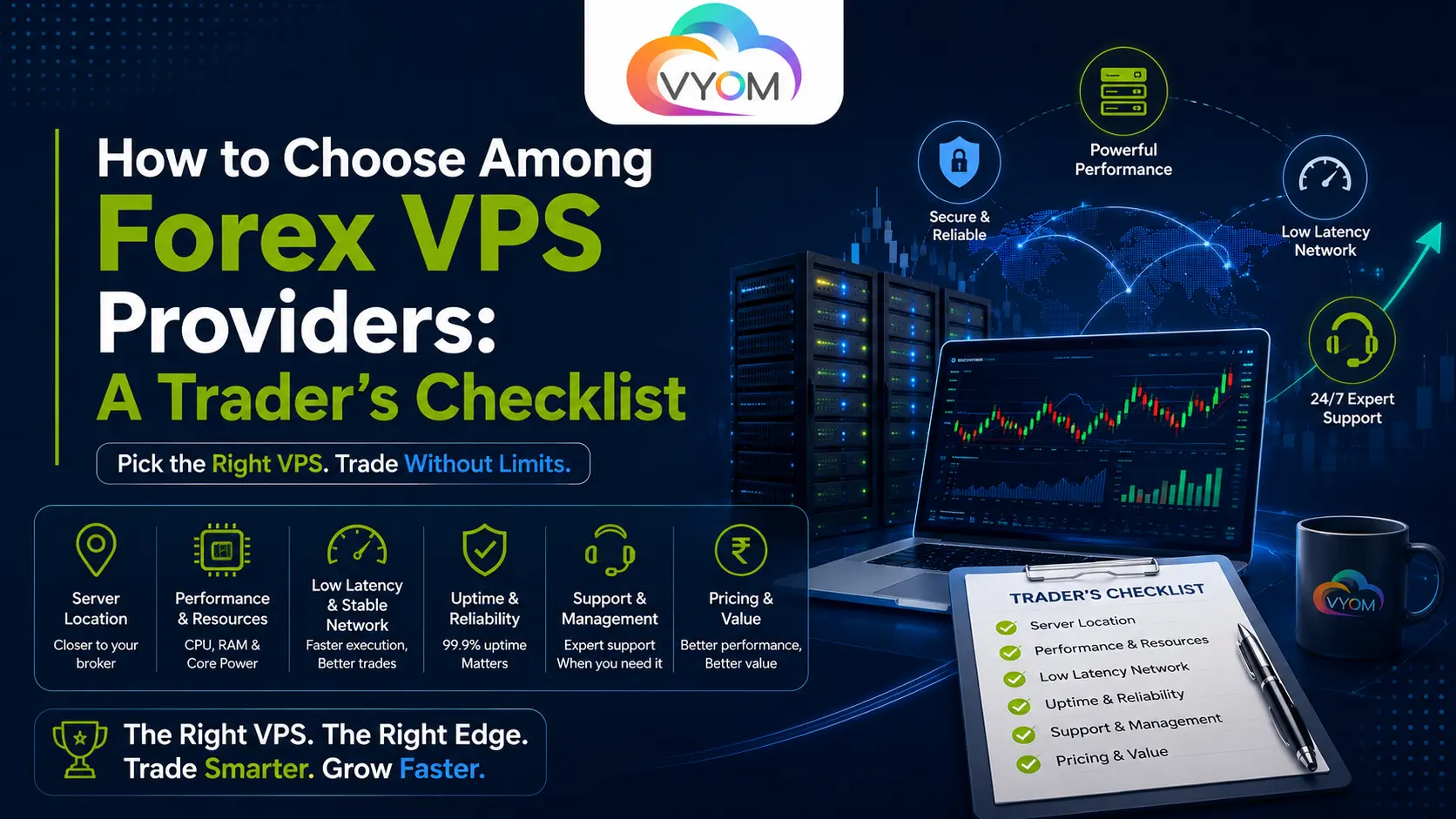
- How to Choose Among Forex VPS Providers: A Trader’s Checklist
- What Is a Forex VPS and Why Does Provider Choice Matter?
- Forex VPS Provider Checklist at a Glance
- 1. Server Location and Forex VPS Latency
- 2. CPU Performance and Resource Allocation
- 3. RAM Requirements for MT4 and MT5
- 4. NVMe SSD vs SSD Storage
- 5. Windows Server Compatibility for MT4 and MT5
- 6. Network Quality: Latency, Jitter, Packet Loss and Bandwidth
- 7. Uptime and Infrastructure Reliability
- 8. Managed vs Unmanaged Forex VPS
- 9. Security Features Traders Should Check
- 10. Backups and Disaster Recovery
- 11. Technical Support: What Actually Matters
- 12. Pricing: Compare Total Cost, Not Just the Starting Price
- How to Compare Forex VPS Providers Side by Side
- Trader-Specific Recommendations
- 10 Red Flags to Watch for When Choosing a Forex VPS Provider
- Final Buying Checklist
- FAQ
How to Choose Among Forex VPS Providers: A Trader’s Checklist
Most traders don’t struggle to find a Forex VPS provider, a search turns up dozens in seconds. The struggle is knowing which one is actually right for how they trade. Two providers can advertise the identical “2 vCPU, 4 GB RAM” plan and deliver noticeably different experiences once Expert Advisors are running around the clock. Picking the cheapest plan, the one with the biggest RAM number, or the one promising “unlimited bandwidth” often leads to exactly the problems a VPS Hosting was supposed to solve: dropped connections, sluggish terminals, and support tickets nobody answers at 2 a.m.
The right Forex VPS provider in India depends on specifics, your trading platform, your broker’s server location, how many terminals and EAs you run, how much uptime your strategy needs, and how much hands-on server management you’re willing to do yourself. This guide walks through every factor that actually affects that decision, in the order a trader should evaluate them, so you can compare providers on substance rather than marketing copy.
What Is a Forex VPS and Why Does Provider Choice Matter?
A Forex VPS (Virtual Private Server) is a remotely hosted virtual machine that runs your trading terminal, typically MT4 or MT5, continuously, independent of your personal computer. Instead of your laptop needing to stay powered on and connected for an Expert Advisor to keep working, the EA runs on a server in a data center that’s designed to stay online.
Traders adopt VPS hosting for a few practical reasons: continuous operation for automated strategies, remote access to a live terminal from any device, and reduced dependence on home internet or power reliability. None of that changes if you switch providers, but how well it’s delivered changes a great deal.
This is why two plans with identical specs on paper can feel completely different in practice. “2 vCPU” from one provider might mean a dedicated, consistently available CPU slice; from another, it might mean a heavily oversold shared core that’s fine until several other tenants spike their usage at once. The number on the spec sheet is a starting point, not the whole answer, which is exactly what the rest of this checklist is for.
Forex VPS Provider Checklist at a Glance
| Factor | What to Check | Why It Matters |
|---|---|---|
| Server Location | Proximity to broker/trading infrastructure | Latency |
| CPU | vCPU allocation and whether it’s shared or guaranteed | EA and terminal workload |
| RAM | Guaranteed/available memory | Multiple terminals |
| Storage | NVMe vs SSD | OS and application responsiveness |
| Network | Latency, stability, packet loss | Connectivity |
| Uptime | SLA and infrastructure redundancy | Availability |
| Windows | Supported Windows Server version | MT4/MT5 compatibility |
| Security | Firewall, DDoS protection, resource isolation | Risk reduction |
| Backup | Backup policy and frequency | Recovery |
| Support | Response channels and availability | Troubleshooting |
| Scalability | Upgrade options without migration | Growing workloads |
| Pricing | Renewal price and what’s actually included | Total cost |
1. Server Location and Forex VPS Latency
Does Forex VPS location matter?
Yes, server location affects the network distance (and therefore the round-trip time, or latency) between your VPS and your broker’s trade servers, which is one part of how quickly your orders and price data travel. It does not, by itself, determine how well your trades execute.
Latency is the time it takes data to travel from one point to another, usually measured in milliseconds via ping. Physical distance is one of the biggest contributors to latency: a VPS in Amsterdam talking to a broker’s server in New York will typically show higher latency than one located closer to that same server. This is why the right question isn’t “which VPS is closest to me” but “which VPS is closest to my broker’s trading infrastructure.”
It’s worth being clear-eyed here: lower latency to your broker’s server does not automatically translate into better trade execution. Execution quality also depends on broker infrastructure, market conditions, order routing, liquidity at the time of the trade, and how the broker’s own systems process orders. A well-located VPS removes one variable from the equation, it doesn’t control the others.
2. CPU Performance and Resource Allocation
CPU allocation on a VPS is usually described as “vCPU,” a virtual slice of a physical processor shared across the server’s virtualization layer. The important distinction is whether that slice is guaranteed (reserved specifically for your VPS) or shared/burstable (borrowed from a pool other tenants also draw on). Under light load both can feel identical; under CPU contention, when multiple tenants demand resources simultaneously, a shared allocation can slow down at the exact moment you need it not to.
For a trader, CPU matters because MT4/MT5 terminals, chart rendering, indicator calculations, and Expert Advisor logic all consume processing cycles continuously, not just when you’re actively looking at the screen. A single terminal running a couple of lightweight EAs has a modest footprint. Running several terminals simultaneously, each with multiple EAs performing frequent calculations, increases CPU demand substantially, and increases the cost of any resource contention if the allocation isn’t well isolated.
Rather than chasing a specific vCPU number, evaluate your actual workload, How many terminals will run at once? How computation-heavy are your EAs? Do you rely on tick-by-tick processing or lower-frequency checks? A provider that can explain how CPU is allocated, and whether it’s dedicated or shared, is giving you more useful information than one that just lists a core count.
3. RAM Requirements for MT4 and MT5
How much RAM do I need for MT4 or MT5? There’s no single correct number, it depends on how many terminals, EAs, and background processes are running simultaneously. A single terminal with a couple of indicators uses relatively little; multiple terminals with several EAs, browser sessions, or monitoring tools each add to the load.
RAM usage on a trading VPS comes from several sources at once: each open terminal instance, the EAs and indicators running within it, Windows background services and updates, and anything else you keep open (browser tabs, monitoring dashboards, chat apps). It’s easy to underestimate how quickly these add up when running several terminals side by side.
It’s also worth noting that advertised RAM and usable RAM aren’t always the same. Some of a server’s memory is consumed by the operating system, virtualization overhead, and background services before your applications even start. Rather than assuming a specific GB figure is “enough,” think in terms of your actual concurrent workload and leave meaningful headroom, a VPS running consistently near its memory ceiling tends to become unstable under load, not gracefully slow.
4. NVMe SSD vs SSD Storage
Storage speed affects how quickly the operating system boots, how responsively applications open and respond, and how efficiently logs and terminal data are written and read. NVMe drives generally offer faster read/write speeds and lower latency than standard SATA SSDs, which can translate into a snappier overall server experience, faster terminal launches, quicker file operations, less lag when multiple processes write data at once.
That said, storage speed is one input into overall responsiveness, not the sole determinant of trading performance. A fast NVMe drive paired with an undersized CPU or RAM allocation won’t fix bottlenecks happening elsewhere on the server. Treat storage type as part of the overall infrastructure picture rather than a standalone selling point.
5. Windows Server Compatibility for MT4 and MT5
MetaTrader 4 and MetaTrader 5 are Windows-native applications, which is why the large majority of Forex VPS offerings run Windows VPS Server rather than Linux VPS. Windows VPS plans typically provide Remote Desktop Protocol (RDP) access, letting you log into a full desktop environment to install, configure, and run your trading platform much as you would on a local PC.
Before purchasing, verify which Windows Server version is provided, whether RDP is included by default or costs extra, and whether you retain administrator access to install additional software (a data feed tool, a monitoring utility, a browser). Also confirm, directly with your broker or by checking your terminal’s current requirements, that the specific MT4/MT5 build you use is compatible with the Windows version offered, since platform and software compatibility can change over time.
6. Network Quality: Latency, Jitter, Packet Loss and Bandwidth
These four terms get used loosely in VPS marketing but describe distinct things.
- Latency — the time for data to travel from your VPS to a destination and back, usually measured in milliseconds.
- Jitter — the variation in latency over time. Even a low average latency can cause problems if it fluctuates unpredictably.
- Packet loss — the percentage of data packets that fail to arrive at all, forcing retransmission and causing gaps or interruptions.
- Bandwidth — the maximum volume of data the connection can carry, typically far less relevant to Forex trading than the other three, since terminal and price-feed traffic is relatively lightweight.
A provider advertising “unlimited bandwidth” is describing something a trading terminal will rarely stress in the first place. Stability, consistent latency, minimal jitter, near-zero packet loss, is the more meaningful measure for uninterrupted terminal and EA operation. When evaluating a provider, ask about their network architecture (redundant carriers, peering arrangements) rather than headline bandwidth numbers.
7. Uptime and Infrastructure Reliability
How important is VPS uptime for automated trading? Very, an EA can only act on market conditions while the server hosting it is online, so unplanned downtime directly interrupts automated strategies, not just convenience access.
Uptime figures like “99.5%” sound reassuring but are worth reading carefully rather than taking as a guarantee of flawless service. That figure still permits roughly 8-9 hours of downtime per year, and SLA terms often specify what counts toward the calculation (and what doesn’t, scheduled maintenance is frequently excluded). Look for information on redundant power supply, network redundancy, active monitoring, and what the provider’s stated process is when hardware fails. A provider transparent about these systems is generally more trustworthy than one that only quotes a percentage.
8. Managed vs Unmanaged Forex VPS
| Feature | Managed VPS | Unmanaged VPS |
|---|---|---|
| Server administration | Handled by the provider | Your responsibility |
| Software installation | Often pre-configured or assisted | You install and configure everything |
| Security updates | Applied by the provider | You must apply them |
| Technical support | Broader support scope, including OS-level issues | Typically limited to infrastructure/connectivity |
| Control | Less granular control over server settings | Full administrative control |
| Cost | Generally higher | Generally lower |
| Best suited for | Traders who want less hands-on maintenance | Traders comfortable managing Windows Server themselves |
Choose managed hosting if you’d rather focus on trading than server administration, or if you lack the time or technical comfort to keep Windows patched and configured correctly. Choose unmanaged hosting if you want full control over the environment, are comfortable with Windows Server administration, and want to minimize recurring costs.
9. Security Features Traders Should Check
A Forex VPS holds access to your trading terminal and, indirectly, your account credentials, security isn’t optional. At minimum, check for:
- A configured firewall limiting unnecessary open ports
- DDoS protection at the network level
- RDP access secured with strong authentication (and ideally IP restriction options)
- A clear policy on applying Windows security updates
- Malware protection appropriate for a Windows Server environment
- Resource isolation between tenants on shared infrastructure
Practical steps on your side matter too: use a strong, unique RDP password, avoid sharing server access, and enable two-factor authentication wherever the provider’s control panel supports it.
10. Backups and Disaster Recovery
Don’t assume “it’s on a VPS” automatically means your setup is backed up, many base plans don’t include automatic backups unless explicitly stated. Confirm what’s actually covered: full server snapshots, or just your application/configuration files (EA settings, terminal configurations, custom indicators).
Ask about backup frequency (daily, weekly), retention period (how far back you can restore), and the actual recovery process, is it self-service through a control panel, or does it require a support ticket? A provider’s answer to “what happens if I need to restore from three days ago” tells you a lot about how seriously backups are treated.
11. Technical Support: What Actually Matters
For infrastructure running automated trading around the clock, support quality is not a minor feature — it’s the difference between a resolved issue and hours of downtime. Evaluate:
- Whether support is available 24/7 or only during business hours
- Available channels: live chat, ticketing, phone
- Whether support staff can troubleshoot at the server level, not just billing/account issues
- Typical response times (ask directly – don’t assume)
- Escalation process for more complex technical problems
Before buying, it’s reasonable to test a provider’s pre-sales support responsiveness as a rough proxy for what post-sales support will look like.
12. Pricing: Compare Total Cost, Not Just the Starting Price
Is a cheap Forex VPS worth it? It depends entirely on what’s included. A low headline price that excludes Windows licensing, backups, or adequate resources for your workload can end up costing more, in money or in reliability, than a slightly higher-priced plan that includes everything you actually need.
When comparing pricing, look beyond the advertised monthly rate to: the renewal price after any introductory discount, whether Windows licensing is bundled or billed separately, whether backups and a control panel are included, the cost of additional IPs if needed, and what happens if you exceed allocated RAM or CPU. The cheapest advertised plan is not always the cheapest suitable plan once these are accounted for.
How to Compare Forex VPS Providers Side by Side
A simple weighted framework can help turn a list of specs into an actual decision.
These weights are a starting point, adjust them based on your own strategy and workload.
| Category | Weight |
|---|---|
| Latency & Location | 20% |
| CPU & RAM | 20% |
| Network Reliability | 15% |
| Uptime | 15% |
| Security | 10% |
| Support | 10% |
| Pricing | 5% |
| Scalability | 5% |
A latency-sensitive strategy might justifiably push Latency & Location and Network Reliability higher.
A trader running several long-term EA-based terminals might weight CPU/RAM and Uptime more heavily than Location.
Score each provider against your own weighted list rather than relying on a generic “best of” ranking.
Trader-Specific Recommendations
Beginner / Manual Trader — Uptime and ease of use matter more than raw specs. A modest, reliable managed plan with responsive support is usually a better fit than an oversized configuration you won’t fully use.
EA Trader — Prioritize consistent CPU allocation, adequate RAM headroom, and strong uptime, since an EA left unattended needs the server to behave predictably without manual intervention.
Multi-Terminal Trader — Resource allocation and scalability become central. Confirm whether RAM and CPU are guaranteed per instance and whether you can upgrade the plan without migrating to a new server.
High-Frequency / Latency-Sensitive Strategy — Network architecture and proximity to broker infrastructure deserve the most careful evaluation. A VPS does not make a strategy “high frequency,” and it cannot guarantee faster execution, but weak network infrastructure can meaningfully undermine a strategy that depends on consistent low latency.
Forex Educator / Prop Firm / Trading Team — Multi-user access, scalable resource allocation, and the ability to run multiple isolated terminal instances become more important than any single spec, since the workload profile is closer to shared infrastructure than a single trader’s setup.
10 Red Flags to Watch for When Choosing a Forex VPS Provider
- “Zero latency” or similarly absolute performance promises
- No stated server/data center location
- Vague or missing detail on CPU/RAM allocation (shared vs guaranteed)
- Signs of oversold resources (specs that seem too generous for the price with no explanation)
- No published uptime information or SLA
- No clear explanation of backup policy
- Support that’s hard to reach or vague about response times before you’ve even purchased
- Extremely low introductory pricing with a much higher, poorly disclosed renewal price
- Unclear or restrictive cancellation and refund terms
- Marketing language implying guaranteed trading performance or profits
Final Buying Checklist
Before choosing a Forex VPS provider, take a moment to evaluate the service beyond its headline price and specifications. Make sure the server location is suitable for your broker’s infrastructure and that the CPU resources match your actual trading workload, including whether those resources are shared or guaranteed. Check that the RAM is sufficient for your trading terminals and Expert Advisors (EAs), with enough headroom for additional applications. SSD or NVMe storage is preferable, while network quality should be assessed based on latency, jitter, and packet loss rather than bandwidth alone. Review the provider’s uptime SLA carefully and understand exactly what it covers. Also confirm that the Windows Server version supports your trading platform, RDP access is included and transparently priced, and essential security measures such as firewalls, DDoS protection, and server isolation are provided. Before committing, understand the backup frequency, retention period, and restoration process, and make sure customer support is available through channels and during hours that work for you. Finally, check the regular renewal price, available upgrade options, refund and cancellation policies, and avoid providers that make unrealistic promises about trading performance or profits.
It is important to remember that a Forex VPS can improve server availability, connectivity, and infrastructure reliability, but it cannot guarantee trading profits, execution quality, or investment results. Selecting a VPS that fits your technical requirements can help reduce infrastructure-related risks, but it does not eliminate market risk. This article is intended for informational purposes only and should not be considered financial advice.
Related Reading
- What Is a Forex VPS? Benefits, Uses & Setup Guide
- Forex VPS Hosting: Latency, Uptime & Broker Compatibility Explained
- What to Look for in a Windows VPS Provider Before You Buy
Read More : What Are Forex Trading Dedicated Servers & Why They Matter for Performance
Let’s Get Social:
Facebook: https://www.facebook.com/vyomcloudnetwork/
LinkedIn: https://www.linkedin.com/company/vyomcloud/
Instagram: https://www.instagram.com/vyomcloud/
FAQ
What should I look for in a Forex VPS provider?
Focus on server location relative to your broker, whether CPU/RAM are guaranteed or shared, network stability (not just bandwidth), a clearly stated uptime SLA, backup policy, and responsive support. Pricing matters too, but total cost, including renewal rates, matters more than the headline price.
How much RAM do I need for MT4 or MT5?
It depends on how many terminals, EAs, and background processes run simultaneously. A single terminal with light indicators needs relatively little; multiple terminals with several active EAs need considerably more, plus headroom, since usable RAM is often less than the advertised figure once the OS and background services are accounted for.
Does Forex VPS location affect latency?
Yes. Physical distance between your VPS and your broker’s trading servers is a major factor in network latency. However, location affects only the connectivity portion of trade execution, broker infrastructure, market conditions, and order routing also play a role.
Is Windows VPS better for MetaTrader?
MT4 and MT5 are Windows-native applications, so Windows Server is the standard choice for Forex VPS hosting and typically includes RDP access for a familiar desktop experience. Always verify current platform compatibility with your specific terminal build before purchasing.
What is the difference between managed and unmanaged Forex VPS?
Managed VPS means the provider handles server administration, updates, and broader technical support, better for traders who prefer less hands-on maintenance. Unmanaged VPS gives you full administrative control but requires you to handle configuration and updates yourself, usually at a lower price.
How important is CPU performance for Expert Advisors?
CPU matters because EAs, chart rendering, and indicator calculations run continuously. The key question isn’t just core count but whether CPU resources are shared or guaranteed, a guaranteed allocation behaves more predictably under load than a heavily shared one.
Is NVMe necessary for Forex VPS?
NVMe storage offers faster read/write speeds than standard SSD, which can improve boot times and overall responsiveness. It’s a meaningful quality factor but works alongside CPU and RAM, fast storage doesn’t compensate for undersized processing or memory allocation.
How do I test Forex VPS latency?
Most providers let you test connectivity to their server location, commonly using a ping test from your own connection or from the broker’s server region, before or shortly after purchase. Ask the provider directly about trial or testing options if this isn’t clearly offered.
How important is VPS uptime for automated trading?
Very important, an EA can only respond to market conditions while its host server is running, so downtime directly interrupts automated strategies. That said, no uptime figure, including “99.5%,” should be read as a guarantee of zero interruptions; check what the SLA actually covers.
Can one Forex VPS run multiple MT4/MT5 accounts?
Yes, provided the server has adequate CPU and RAM for the combined workload of all terminal instances. As the number of accounts and EAs grows, resource requirements grow with them, so this should be planned for rather than assumed.
Is a cheap Forex VPS worth it?
It depends on what’s included. A low advertised price that excludes adequate resources, backups, or Windows licensing can turn out less cost-effective, and less reliable, than a slightly higher-priced plan that covers everything your setup actually needs.
Can a Forex VPS guarantee better trading results?
No. A VPS can improve infrastructure reliability and reduce connectivity-related risk, but it cannot guarantee trading profits, execution quality, or investment outcomes, which depend on many factors outside the hosting environment.
